About the game
Seven stops between you and a signed deal
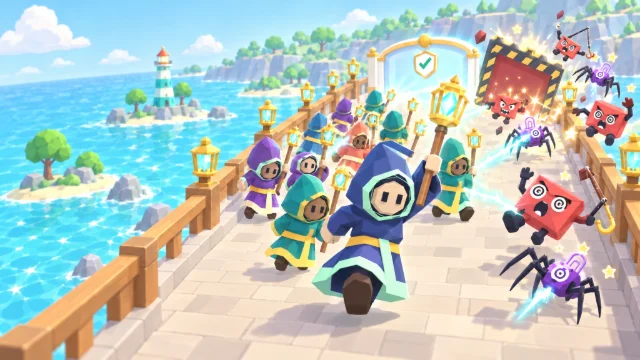
Secure Traveler Simulator is a free, cosy cyber security travel sim you play right here in your browser. You're the account lead at Kettle & Kite, a small (and fictional) design studio, flying to Meridian City to pitch a big new deal to your client, Sam at Meridian Design, and bring it home signed. Ollie, a junior designer on his first business trip, comes along: he says yes to everything, posts everything and owns up to everything, if you let him.
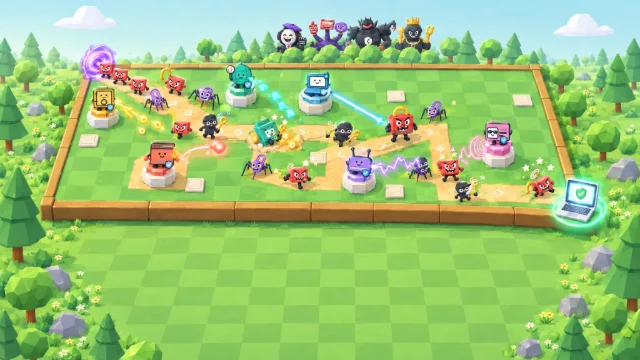
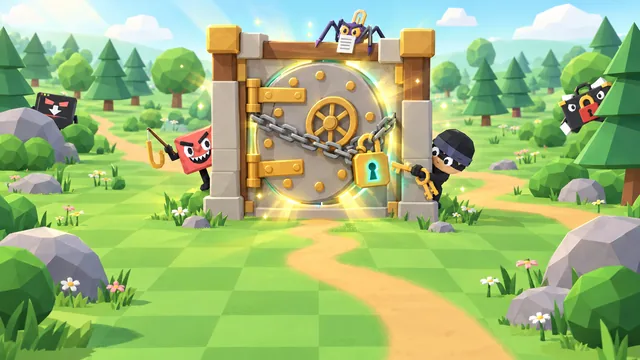
The trip is seven little worlds: your apartment the night before, the departures hall, seat 14A, The Meridian hotel at night, the Coffee Shop, the client's studio and Gate 08. At every stop something happens on the spot, and from the airport on a goofy villain made of travel objects is behind it: the Rebooking Robin's fake airline text, the Binocular Snoop reading your screen, Cloudy Login's free Wi-Fi page, the Laundry Bandit, the Phony Front Desk at 2 a.m., the Latte Lifter, the Boss Mimic and the Evil Twins. Your call stops the villain, and if something slips, a fast report keeps it a close call.
- Genre
- Travel sim
- Play time
- About 11 minutes
- Stops
- 7, from home to Gate 08
- Villains
- 8 to outsmart, 3 of them big
- Languages
- 72, pick at the start
- Price
- Free, no sign-up
How to play
Read the moment, make the call, report fast
- Press Play, then Start. A trip briefing shows the stops and who's who, then Priya, your manager, calls the night before with one easy question about getting ready. Answer her and the trip begins.
- Read the moment. At every stop something happens on the spot: a text, a call, a nosy neighbour. The clock stops while a card is open, so read all of it before you decide.
- Make the call. Every card has three choices, and a safe call stops the villain. Keep a habit every time it comes up and its sticker stays on your suitcase.
- Slipped? Report it fast. A risky call lets the villain grab something. Report it as soon as you can, through a channel you already trust, and it stays a close call. Report late and it's an incident; hide it and it comes back to bite, and hiding one at a big villain ends the trip.
- Keep your client happy. Client Mood is how Sam feels about what their team hears and sees, so report fast and keep the work moving: Sam signs the deal only while the mood is Fine or better. Board at Gate 08 to bring the deal home, then claim your spot on the leaderboard.
How your score adds up
Your score is 40 points for every point of Travel Smarts and 10 for every point of Client Mood at the end of the trip, plus 150 for every villain your call stopped and 50 for every close call, minus 200 for every incident. A trip that ends early, because you're recalled home after too much bad news, you hide a slip at a big villain, or you choose End run or Close game while it is on, counts as a loss and keeps half its score.
40 × Travel Smarts+
10 × Client Mood+
150 × villains stopped+
50 × close calls−
200 × incidents=
Your score
Keyboard controls
- SpacePlay or pause
- 123Game speed 1×, 2× or 3×
- HomeSee the whole place
- ?How to play
- EscClose a menu, the passport or a finished dialog
Pro tip: A trip that ends early keeps only half its score, so see it through to Gate 08. Every card waits for you, so read the whole message before you choose. If you slip, report it the first moment you really can: on a plane with no connection you trust, that's the moment you land. Tap or hover over anyone to see who they are, and drag to look around each place.
What you'll learn
Eight villains, and the habits that beat them
Every winning move is current, mainstream advice for staying safe on the road, and the myths lose: a dim screen can still be read from the next seat, a locked screen doesn't stop someone walking off with your laptop, and replying to ask whether it's really your manager proves nothing: the scammer answers. Slips are normal in the game; only hiding them and blaming people are frowned on.
Report it fast
A slip reported early stays small
- Report a slip as soon as you can
- Use a channel you already trust
- Report scam attempts too
- Thank colleagues who own up
Check before you trust
Texts, calls and Wi-Fi pages
- Check changes in the airline's own app
- No work password on public Wi-Fi sign-in pages
- Call back on a number you already have
- Never sign in past a certificate warning
Keep it close
Screens, papers and devices
- Check who can see your screen
- Keep client papers with you
- Take your laptop when you step away
- Leave where you are out of your out-of-office reply
The trip's run-ins, and the right call
- A text says your flight is cancelled, but the departures board says it's on time.Check the airline's own app or ask at the desk, not a link in the text, then report the text.
- Someone keeps reading your screen: in the seat next to you on the plane, then right behind your chair at the coffee shop.Save sensitive work for somewhere private. A privacy filter cuts side views, but it can't stop someone right behind you.
- The free in-flight Wi-Fi page wants your colleague's work email and password.A public Wi-Fi sign-in page never needs your work password: close it, and report it.
- Dinner with the client is about to start, and the client brief is on the hotel desk.Keep permitted papers with you; when you can't, lock an approved safe. A hotel safe is never a guarantee.
- The "front desk" calls at 2 a.m. because your card "didn't go through".Treat it as a scam until the real front desk confirms it. Don't read out your card details: check with the desk yourself, then report it.
- Your coffee is ready across the room, and your laptop is open on the table.Lock it, pack it and take it with you: a locked screen doesn't stop someone taking the laptop.
- Mid-meeting, a message from your "manager" asks for an urgent, secret payment or gift cards.Call her back on the number you already have and report it, however real the voice sounds.
- At the gate, the airport Wi-Fi shows a certificate warning as you sign in to upload the meeting notes.Don't click past the warning to sign in: go back and use your phone's hotspot, or let the upload wait.
FAQ
Secure Traveler Simulator questions
Is Secure Traveler Simulator free to play?
Yes. It is completely free and runs in your web browser, with no download, account or sign-up. You only pick a gamer alias if you want to put a top score on the public leaderboard. Organisations that use CanIPhish can also assign it to employees as security awareness training, with a private company leaderboard.
What does Secure Traveler Simulator teach?
How to spot the scams and slip-ups of a business trip, and what to do when one gets through. Every stop tests a real habit: check a flight change in the airline's own app, not through a link in a text; keep where you are out of your out-of-office reply; check who can see your screen (a privacy filter cuts side views, not someone right behind you); never type your work password into a public Wi-Fi sign-in page; keep client papers with you; treat a surprise call or text asking for your card as a scam until the front desk confirms it; keep your laptop with you; check an urgent, secret request for money on a number you already have, however real the voice sounds; and never click past a certificate warning to sign in. Above all it teaches reporting: report a slip as soon as you can, through a channel you already trust, and it stays a close call.
How is my score calculated?
When the trip ends you score 40 points for every point of Travel Smarts and 10 for every point of Client Mood, plus 150 for every villain your call stopped and 50 for every close call (a slip you reported as soon as you could), minus 200 for every incident. Board your flight home at Gate 08 to win, as a Platinum, Gold or Silver Traveler by score. If your client hears so much bad news that you are called home, you hide a slip at one of the three big villains, or you end the run early from the game's menu (End run, or Close game while a run is on), it counts as a loss and keeps half its points. Your best score can go on the leaderboard, which lists the top 50 players of all time.
How long does a game of Secure Traveler Simulator take?
A full trip of 7 stops, from your front door the night before to the gate for the flight home, takes about 11 minutes. The game starts at 2× speed, and you can switch to 1× for more time or 3× to hurry it along. The clock stops while a card is open, so you never answer against the clock, and you can pause at any time.
What devices and languages does it support?
It runs in any modern browser on desktops, laptops, tablets and phones, held upright or sideways, although a larger screen is best. The 3D places use WebGL graphics (hardware acceleration); without WebGL the game switches to a simpler view that plays the same way. You can play in 72 languages: choose yours from the language picker on the title screen.
Using Secure Traveler Simulator for security awareness training at work? Bring it to your team or start a free CanIPhish account.