About the game
Build the firewall, one habit at a time
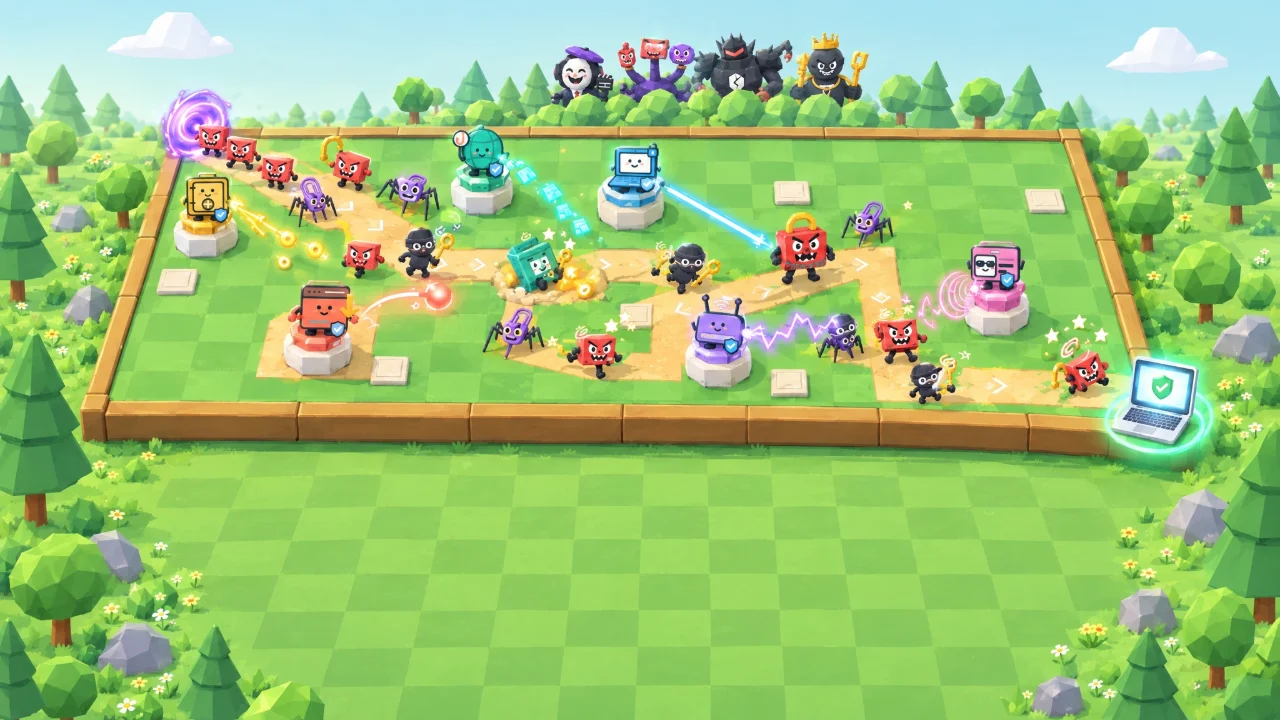
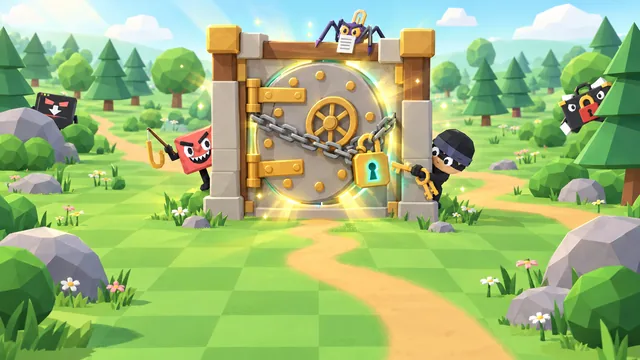
Human Firewall: Tower Defense is a free cyber security tower defense game you play right here in your browser. Phishing emails, password thieves and ransomware are marching down the path towards your laptop. Drag security towers onto the board, each one a real area of personal security, and upgrade them into stronger habits before the next wave hits.
Survive 12 waves and four boss fights, from the Deepfake Director to the Persistent Threat, while you juggle 300 credits and 10 lives. Every tower has its own trick, from critical hits to slowing fields, so the best defence is a layered one, just like real life.
- Genre
- Tower defense
- Play time
- About 10 minutes
- Waves
- 12, bosses on 3, 6, 9 & 12
- Towers
- 6 towers, 3 tiers each
- Languages
- 72, pick from the globe
- Price
- Free, no sign-up
How to play
Place, upgrade, defend
- Press Play. Your free Internet Security starter tower is already on the board.
- Drag towers onto the build squares next to the path. Each tower is a security area with its own ability.
- Upgrade towers between waves. Every tier is a stronger real-life habit, from strong passwords to passkeys.
- Answer the bonus question each wave for extra credits, and keep an eye on your 10 lives.
- Survive all 12 waves, then claim your spot on the leaderboard.
How your score adds up
Your score is your points plus the credits you have left, minus 5% of that total for every life you lose.
(Points+Credits left)
−
5% per life lost=
Your score
Keyboard controls
- 1–6Pick a tower to place
- ←→↵Move and place on the board
- UUpgrade the selected tower
- SpaceStart the wave or pause
- EscCancel or close a panel
Pro tip: End run counts as a loss and halves your score, so hold the line if you can. On touch screens, press and hold a tower for a moment to drag it.
What you'll learn
18 habits that keep scammers out
Every tower is a real area of personal security, and every upgrade is a habit you can use today, at home and at work.
Identity Security
Critical hits
- 1Strong, unique passwords
- 2Multi-factor authentication
- 3Passkeys and a password manager
Internet Security
Rapid fire
- 1Pause before you click
- 2Go direct
- 3Scam filters and reporting
Physical Security
Long reach
- 1Lock your screen
- 2Guard your space
- 3Track, wipe and shred
Device Security
Area blast
- 1Automatic updates
- 2Built-in malware protection
- 3Encryption and backups
Network Security
Slowing field
- 1Secure your router
- 2Updated, encrypted Wi-Fi
- 3Guest network and safer public Wi-Fi
Privacy Protection
Mega blast
- 1Think before you share
- 2Lock down privacy settings
- 3Shrink your digital footprint
FAQ
Tower Defense questions
Is Human Firewall: Tower Defense free to play?
Yes. It is completely free and runs in your web browser, with no download, account or sign-up. You only pick a gamer alias if you want to put a top score on the public leaderboard. Organisations that use CanIPhish can also assign it to employees as security awareness training, with a private company leaderboard.
What does Tower Defense teach?
Everyday cyber security habits through six towers: Identity, Internet, Physical, Device and Network Security, and Privacy Protection. Every tower tier stands for a real-life habit, from strong, unique passwords to multi-factor authentication and passkeys, from going direct instead of clicking links to reporting scams, and from automatic updates to encryption and backups. Security tips for each wave explain the threat and how to stay safe from it in real life.
How is my score calculated?
You score points for every threat you stop, every boss you beat, every wave you clear and every bonus question you answer correctly, and every credit you have not spent adds a point. Each life you lose then cuts the total by 5%, so a lost run keeps half its score. Your best score can go on the leaderboard, which lists the top 50 players of all time.
How long does a game of Tower Defense take?
A full run of 12 waves takes around 10 minutes. The game starts at 2× speed, you can switch between 1×, 2× and 3× at any time, and you can start the next wave early instead of waiting for the countdown.
What devices and languages does it support?
It runs in any modern browser with WebGL graphics (hardware acceleration) turned on. Drag towers onto the board with a mouse, or press and hold to drag on a touch screen, so it plays on desktops, laptops, tablets and phones. You can play in 72 languages: choose yours from the globe on the welcome screen.
Using Tower Defense for security awareness training at work? Bring it to your team or start a free CanIPhish account.