About the game
No budget, no job title, just influence
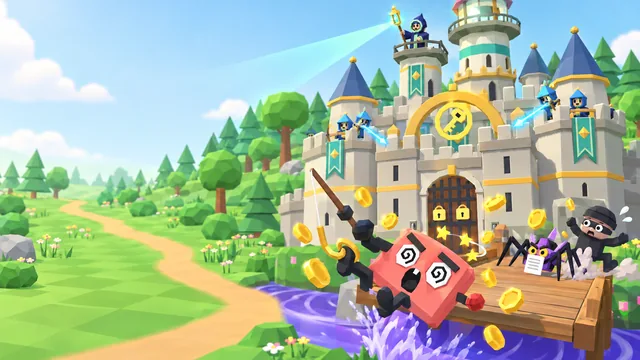
Cyber Champion Simulator is a free, cosy cyber security office sim you play right here in your browser. You're a marketing coordinator who has just volunteered as the Cyber Champion for your floor: six very different colleagues from marketing, sales, accounts and digital, from Bogdan the Skeptic, who wants a source for everything, to Simone the Busy Exec, who gives you 30 seconds, and Kai, the New Hire who starts in March. Your strength isn't a budget or a job title: it's influence.
Each month you run one team initiative and help one person, and scams test the plan. Seven comic villains try their luck, from Captain Clickbait's phishing wave to a cloned voice of the boss and the year-end Big Phish, and when one lands, the teammates who are ready spot it and report it. Thank the reporters, make the safe way the easy way and never nag: the same thing twice, nagging or blame makes people grumpy, and a fed-up team tunes you out. Make it through Month 12 to win the Security Culture Award.
- Genre
- Office sim
- Play time
- About 10 minutes
- Months
- 12, scams from Month 2
- Team
- 6 colleagues to win over
- Languages
- 72, pick at the start
- Price
- Free, no sign-up
How to play
Plan, help, thank the reporters
- Press Play, then Start. The run opens paused on Month 1, Day 1, with Jun, your manager, at your desk asking how you'll kick things off. Answer him, plan January's initiative and the year starts by itself.
- Plan one thing a month. The plan strip shows this month and the next two. Tap a month for the planner: three recommended initiatives, from Tip of the Week and a Lunch-and-Learn to a Spot-the-Scam Quiz or Morning Tea, with a heart on the face of everyone who'll love it.
- Help one person at a time. Once a month someone needs a hand. Their Likes say what works, and setting a tech habit up together, such as a password manager or a screen lock, fixes it for good. In April, July and October it's a tricky question instead.
- Plan for the scam. Yusuf from IT warns you the month before a scam lands. What you run that month counts double for the people it targets, right up until it hits.
- Thank the reporters. When a scam lands, ready teammates spot it and report it. Clicked and owned up? Thank them: blame teaches people to hide mistakes. Make it through Month 12, then claim your spot on the leaderboard.
How your score adds up
Your score is 40 points for every point of Team Culture and 10 for every point of Team Mood at the end of the run, plus 150 for every scam your team stopped and 75 for every scam it caught, minus 200 for every scam nobody reported. A run that ends early, because the team tunes you out, nobody reports one of the three big scams, or you choose End run or Close game while it is on, counts as a loss and keeps half its score.
40 × Team Culture+
10 × Team Mood+
150 × scams stopped+
75 × scams caught−
200 × incidents=
Your score
Keyboard controls
- SpacePlay or pause
- 123Game speed 1×, 2× or 3×
- POpen or close the planner
- HomeSee the whole office
- ?How to play
- EscClose the planner or a dialog
Pro tip: A run that ends early keeps only half its score, so see it through to the end of Month 12. Run in the scam's month what its targets will love (the gold ring in the planner marks them), and never the same initiative two months running. Fix your own habits first: nobody takes tips from a champion with a password on a sticky note. Tap or hover over anyone to see how they're going, and drag to look around the office.
What you'll learn
Seven scams, six lessons for every security champion
Every winning move is a lesson from real security awareness programs: thank people who report, make the secure option the easy option, time training for the threat that's coming, pick the style each person responds to, lead by example, and mix it up rather than nagging. In the game, nagging, posters, repeats and blame lose.
A reporting culture
Praise, don't shame
- Thank people who report a click
- Ask what made reporting hard
- One fast report lets IT act early
- Blame teaches people to hide mistakes
The easy, secure way
Fix habits for good
- Set up a password manager together
- Screen locks and automatic updates
- Ask IT for tools that make it easy
- Reminder notes buy a month at most
Right time, right style
Influence, not authority
- Train the targets before a scam lands
- Pick the style each person likes
- Mix it up: repeats make people tune out
- Lead by example
The year's scams, and the right call
- Fake delivery emails link to a login page built to steal passwords.Unexpected, urgent and asking you to log in? Report it. Clicked? Report it faster.
- "IT" phones and politely asks for your one-time code.IT won't ask for your password or a code: hang up and call back on a number you already know.
- Mystery USB sticks labelled "Salary Review" turn up in the parking lot.Don't plug one in anywhere: hand it to IT unopened.
- A courier with tall boxes and no badge slips in behind staff.One badge, one person: walking a visitor to reception is polite and secure.
- A cloned voice of the boss asks for an urgent, very secret payment.Voices can be faked: urgent, secret payments to new accounts get a call-back on a number you already know.
- A free AI tool offers to summarise your customer list.Free AI tools may keep what you paste: work data only goes into the approved tool.
- An end-of-year bonus email lands for everyone.Report it: one fast report lets IT protect everyone. That's a reporting culture.
FAQ
Cyber Champion Simulator questions
Is Cyber Champion Simulator free to play?
Yes. It is completely free and runs in your web browser, with no download, account or sign-up. You only pick a gamer alias if you want to put a top score on the public leaderboard. Organisations that use CanIPhish can also assign it to employees as security awareness training, with a private company leaderboard.
What does Cyber Champion Simulator teach?
How a security champion builds a culture where people spot scams and report them, with influence rather than authority. The winning moves are the real lessons: thank people who report a click instead of blaming them, make the secure option the easy option (a password manager, a screen lock or automatic updates, set up together), time training for the scam that is coming, pick the style each colleague responds to, lead by example, and mix it up rather than nagging. Seven scams test your plan, from a phishing wave, a fake IT helpdesk call and a mystery USB stick to a tailgating courier, a cloned voice of the boss asking for an urgent payment, a free AI tool that keeps whatever you paste and the Big Phish, and each comes with a plain-language lesson for real life.
How is my score calculated?
When the run ends you score 40 points for every point of Team Culture and 10 for every point of Team Mood, plus 150 for every scam your team stopped (every target spotted it) and 75 for every scam it caught (someone clicked, but someone reported it), minus 200 for every scam nobody reported. Make it through all 12 months to win the Security Culture Award: Gold, Silver or Bronze, by score. If the team tunes you out, nobody reports one of the three big scams, or you end the run early from the game's menu (End run, or Close game while a run is on), it counts as a loss and keeps half its points. Your best score can go on the leaderboard, which lists the top 50 players of all time.
How long does a game of Cyber Champion Simulator take?
A full run of 12 months takes about 10 minutes. The game starts at 2× speed, and you can switch to 3× for the quiet stretches or 1× for more time to plan. The clock stops while a card is open, so you never answer against the clock, and you can pause at any time.
What devices and languages does it support?
It runs in any modern browser on desktops, laptops, tablets and phones, held upright or sideways, although a larger screen is best. The 3D office uses WebGL graphics (hardware acceleration); without WebGL the game switches to a dashboard view that plays the same way. You can play in 72 languages: choose yours from the language picker on the title screen.
Using Cyber Champion Simulator for security awareness training at work? Bring it to your team or start a free CanIPhish account.