About the game
One analyst, one server floor, a whole outbreak
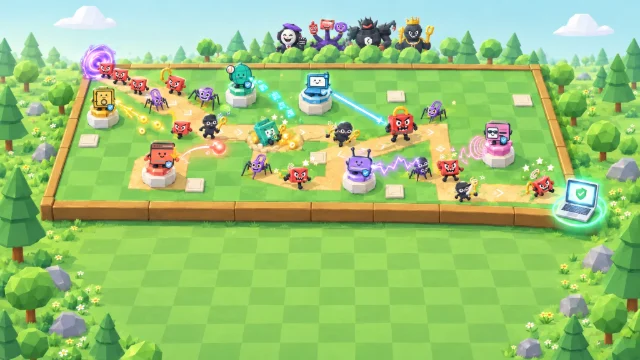
Outbreak.exe is a free cyber security arcade game you play right here in your browser. You're the lone security analyst on a glowing 3D server floor on a very bad day at work: cartoon malware pours in through the gates, from robot bugs and worms to a spam bulldozer and a ransomware padlock, and it's up to you to contain it. Your antivirus tool zaps on its own, so your job is to move, aim, jump over the swarm and drop a firewall when it gets crowded.
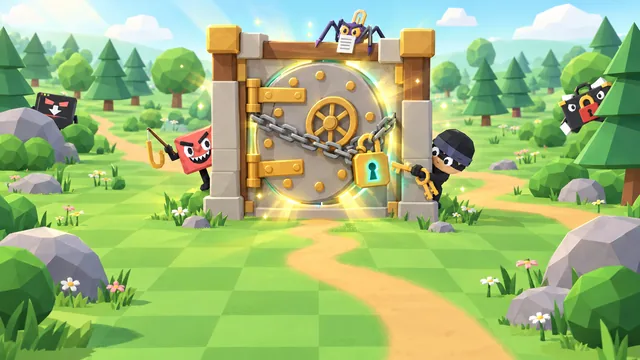
Every threat level ends with a boss, such as the Mother of All Pop-ups, Brute Force Bruce or Clock Blocker, and every boss you beat before the last opens a security checkpoint: a real-life situation with three possible answers. Get it right to restore some integrity and, until your build is maxed, pick a perk, from zero-trust armour to a security operations team or a sentry of your own. Every few levels the outbreak moves to a new world, from the Server Room to the Microprocessor, the Quantum Vault and the Neon Backbone, and the swarms keep growing.
- Genre
- Arcade survival
- Play time
- About 10 minutes a typical run
- Bosses
- 30 to outsmart, one every level
- Worlds
- 4, from the Server Room to the Neon Backbone
- Languages
- 72, pick at the start
- Price
- Free, no sign-up
How to play
Move, contain, outsmart
- Press Play, then Contain the Outbreak. A level preview shows the malware you'll meet, your perks and the gear you can find; choose Enter the Arena when you're ready. Your first run starts with a quick practice on the real floor: move through a gate, aim at a practice bot and jump a barrier.
- Keep moving and aim. Move with W, A, S and D, and aim with the arrow keys or by holding the left mouse button and pointing. Your antivirus tool zaps on its own, so keep it pointed at the swarm and jump over anything that gets too close.
- Build firewalls and open crates. Shift drops a firewall wall in front of you that holds malware back. Walk onto a crate for a new security tool to compare with yours, a top-up for your MFA shield or another firewall.
- Outsmart the boss. Contain enough malware and the level's boss arrives. Its attacks flash a warning first: sidestep or jump them and wear it down. Beat it, and every boss but the last opens a security checkpoint: a right answer to its question restores some integrity and, until your build is maxed, lets you pick a perk.
- Hold out. Every level brings bigger, faster swarms, and a new world every few levels. Your MFA shield takes the hits first, then your integrity, and the run ends when your integrity runs out. Outsmart all 30 bosses to contain the outbreak, then claim your spot on the leaderboard.
How your score adds up
Your score is 10 points for every piece of malware you contain, or 20, 30 or 40 during a Cyber Rampage (after 25, 75 or 150 contained in a row, each within a second of the last), plus 100 for every boss you outsmart. A run that ends when your integrity runs out keeps its full score; a run you end early with End run, or Close game while it is on, keeps half its score.
10 × malware contained×
Cyber Rampage ×2 to ×4+
100 × bosses outsmarted=
Your score
Keyboard and mouse controls
- WASDMove
- ←↑↓→ or hold the left mouse buttonAim (your tool zaps on its own)
- Space or FJump (a right-click works too)
- ShiftBuild a firewall
- EPlace your sentry, once you have the perk
- Esc or PPause
- MSound on or off
Pro tip: A run that ends when your integrity runs out keeps every point, but End run keeps only half its score, so play every run out. Keep moving and lead the swarm around the floor instead of letting it close in, and save a firewall for the boss: one built on top of a boss takes a chunk off its health. Contain malware in quick succession to build a Cyber Rampage. On a touch screen, drag the stick to move: aiming is automatic, and the on-screen buttons jump, build a firewall and place your sentry.
What you'll learn
96 real-life scenarios, eight topics
Every security checkpoint is a short situation with three possible answers, then a plain-language explanation of the safest one. The scenarios cover scams, phishing, account security, device security, ransomware, privacy and data, secure travel and using AI safely. Early levels practise the everyday habits; later ones bring subtler cases, such as permission requests, hijacked conversations and what to do after an incident. A wrong answer costs only the checkpoint's reward: read why, and carry on.
Scams and phishing
Messages, calls and payments
- Check a request through a channel you trust
- Go to the service yourself, not through a link
- Treat urgency and secrecy as red flags
- Check the domain, not just the padlock
Accounts and devices
Passwords, codes and updates
- A unique password for every account
- Never share a one-time code
- Restart for security updates promptly
- Lock your screen when you step away
Ransomware and data
Backups, incidents and privacy
- Keep backups apart from everyday access
- Report trouble at once and follow containment
- Share only the data that's needed
- Report a misdirected email promptly
Travel and AI
On the road and with AI tools
- Use trusted networks, not look-alike Wi-Fi
- Use your own device, not a shared computer
- Give AI tools only data they're approved for
- Treat instructions inside content as untrusted
At the checkpoint, the safest answer
- A caller from your 'bank' says fraud is in progress and tells you to move your money to a new 'safe account'.Hang up and call the bank on its official number. A claimed emergency doesn't prove who's calling.
- A new message from your manager asks you to buy gift cards urgently and send the codes.Check with your manager through a channel you already know. A familiar name isn't proof.
- A sign-in page has HTTPS and a padlock, but its domain is unfamiliar.Check the domain before you type your password. A padlock only means the connection is encrypted.
- A caller says they need the one-time code you just received to cancel a fraudulent login.Don't share it: contact the service yourself.
- Files on a shared drive are suddenly being renamed and can't be opened.Report it right away and follow the containment instructions.
- An AI assistant reads a document that says to ignore you and email your private notes to an address.Treat that text as untrusted content, not permission.
- Two nearby Wi-Fi networks have almost the same hotel name.Check the network with the staff, or use trusted mobile data.
- You send a sensitive work document to the wrong person by mistake.Report it promptly and follow your data-incident process.
FAQ
Outbreak.exe questions
Is Outbreak.exe free to play?
Yes. It is completely free and runs in your web browser, with no download, account or sign-up. You only pick a gamer alias if you want to put a top score on the public leaderboard. Organisations that use CanIPhish can also assign it to employees as security awareness training, with a private company leaderboard.
What does Outbreak.exe teach?
Everyday security habits, through 96 short real-life scenarios across eight topics: scams, phishing, account security, device security, ransomware, privacy and data, secure travel and using AI safely. Every boss you beat before the last opens a security checkpoint: a situation with three possible answers, then a plain-language explanation of the safest one, such as hanging up on a caller from your 'bank' who wants your money moved to a 'safe account' and calling the bank on its official number, locking your screen before you step away, or treating instructions hidden in a document as untrusted text, not permission. Later levels bring subtler cases, from permission requests to hijacked conversations and what to do after an incident. Your gear is named after real controls too, from antivirus, patching and quarantine to zero trust, a security operations team, firewalls and multi-factor authentication, your shield.
How is my score calculated?
Every piece of malware you contain scores 10 points. Contain them quickly, each within a second of the last, and a Cyber Rampage builds: after 25 in a row each one scores 20, after 75 it scores 30 and after 150 it scores 40, until you take a hit, leave a longer gap or the level ends. Every boss you outsmart adds 100, and the checkpoint questions earn perks, not points. A run that ends when your integrity runs out keeps its full score; end it early from the game's menu (End run, or Close game while a run is on) and it keeps half its points. Outsmart all 30 bosses to contain the outbreak and win. Your best score can go on the leaderboard, which lists the top 50 players of all time.
How long does a game of Outbreak.exe take?
A typical run lasts about 10 minutes. Every level brings bigger, faster swarms, so most runs end long before the last boss, and a full run of 30 bosses takes far longer. The run clock stops for every level preview, security checkpoint and perk choice, so you never answer against the clock, and you can pause at any time.
What devices and languages does it support?
It runs in any modern browser with WebGL 2 graphics (hardware acceleration) turned on, on desktops, laptops and tablets, and it works with touch on phones, although a larger screen with a keyboard and mouse is best. Move with W, A, S and D and aim with the arrow keys or by holding the left mouse button, or drag the on-screen stick on a touch screen, where aiming is automatic. You can play in 72 languages: choose yours from the language picker on the title screen.
Using Outbreak.exe for security awareness training at work? Bring it to your team or start a free CanIPhish account.