
Protect Your Brand From Impersonation
Continuously monitor the internet for lookalike domains impersonating your brand. Find out when the domain appears, not when the first phishing email lands, and take it down from a single view.


Catch Lookalike Domains
Before They're Weaponized
- Continuously scan the internet for lookalike domains
- Analyze live pages with AI in a safe sandbox
- Request human-reviewed takedowns from one interface
Tell Us What To Protect
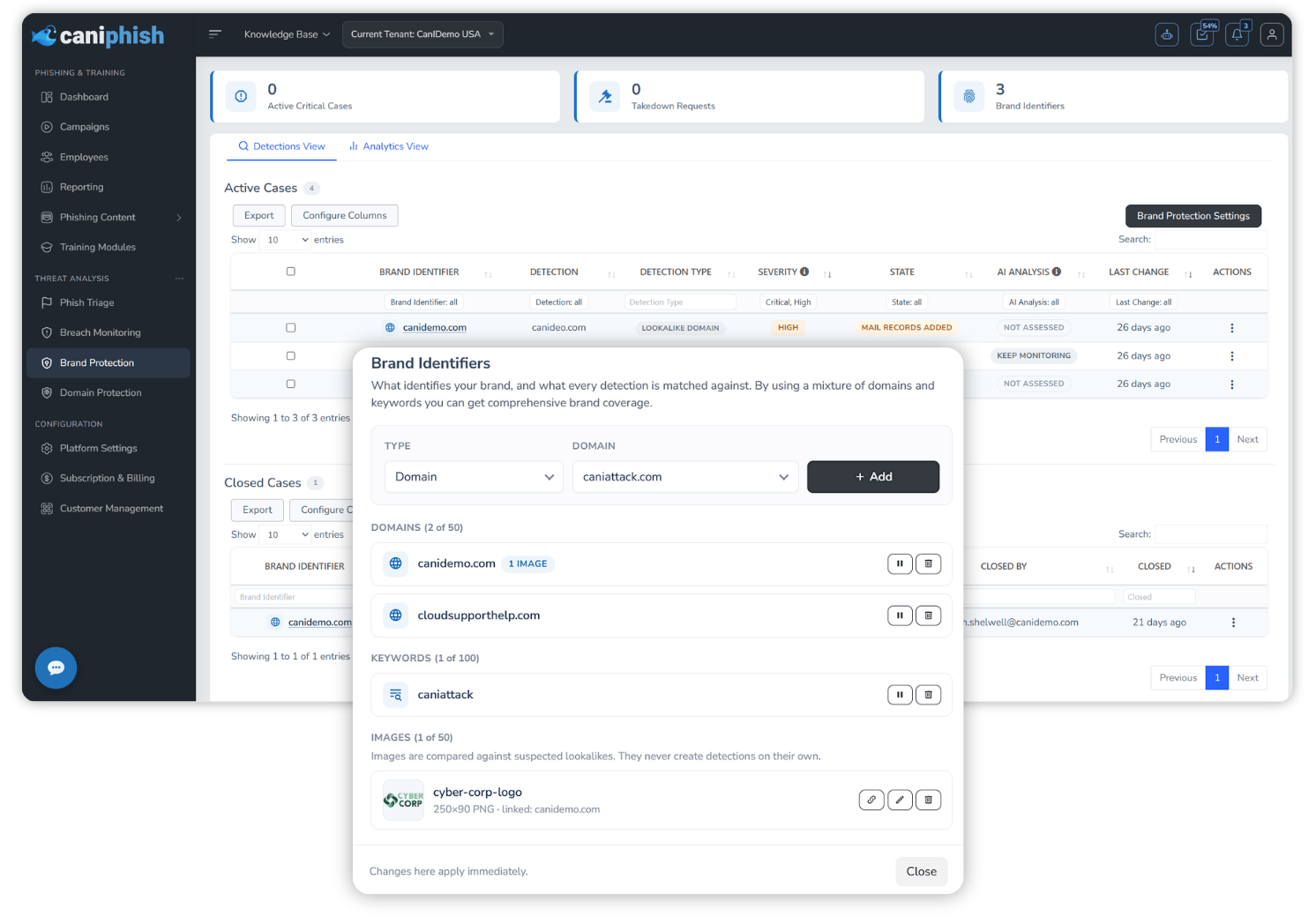
- Domain Identifiers - Protect up to 50 verified domains against typosquats, homoglyphs, alternate TLDs and similar variations.
- Keyword Identifiers - Protect up to 100 brand or product names, catching lookalikes like your brand combined with "login" or "support" under any TLD.
- Reviewed Broad Keywords - Short or generic keywords are reviewed by CanIPhish before monitoring starts, keeping noise out of your cases.
- Allowlist Known-Good Domains - Exempt legitimate domains so they, and matching patterns, are never detected again.
Multiple Independent Detection Sources
- Certificate Transparency - Every newly issued SSL/TLS certificate is matched against your identifiers, often surfacing a lookalike within minutes.
- TLD Zone Files - Daily zone file data from ICANN's Centralized Zone Data Service catches lookalikes at the moment of registration.
- Domain Permutations - Common typosquats, character swaps and TLD variations of your domains are generated and checked for registration.
- Phishing Threat Feeds - Known-malicious domains from phishing intelligence feeds are swept for matches.
- Employee-Reported Emails - URLs in emails reported through Phish Triage are checked against your brand identifiers.
From Detection To Takedown
Watch Every Lookalike Build Out Its Infrastructure
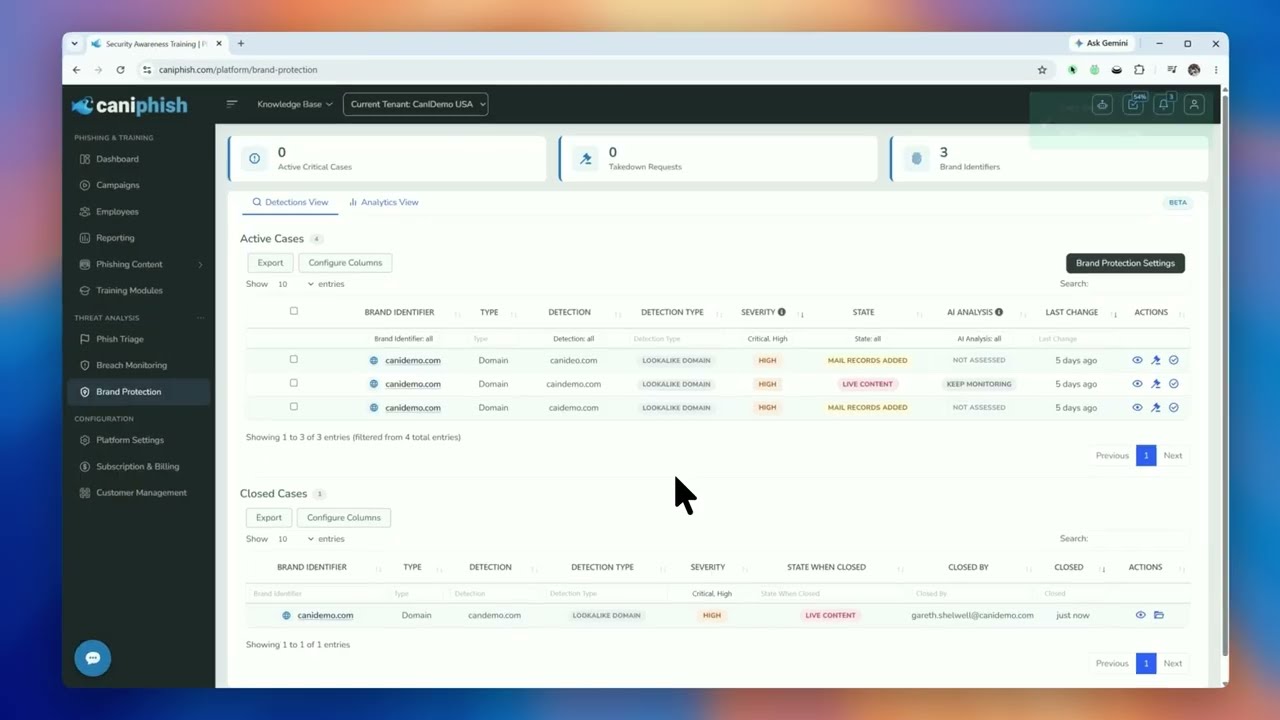
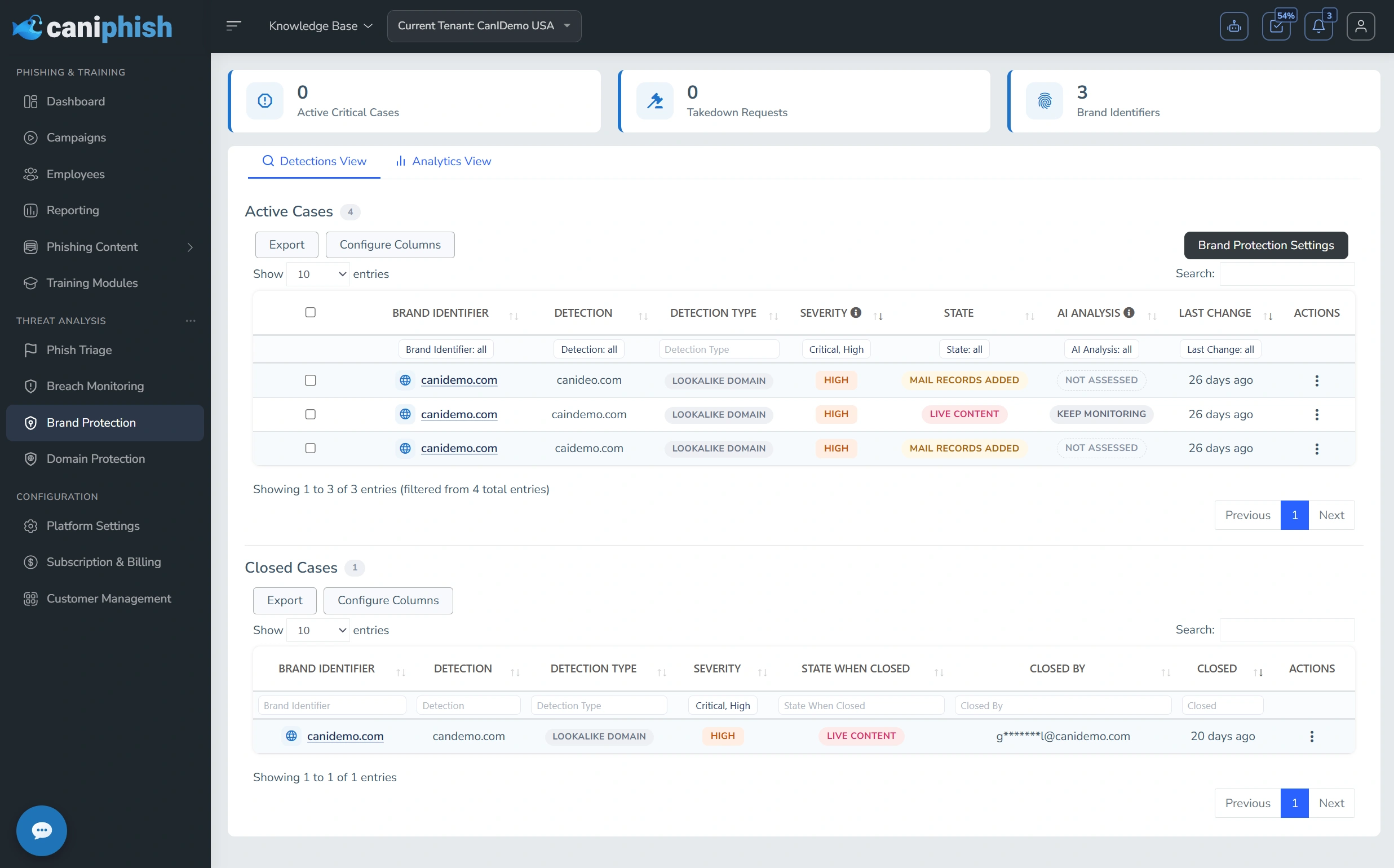
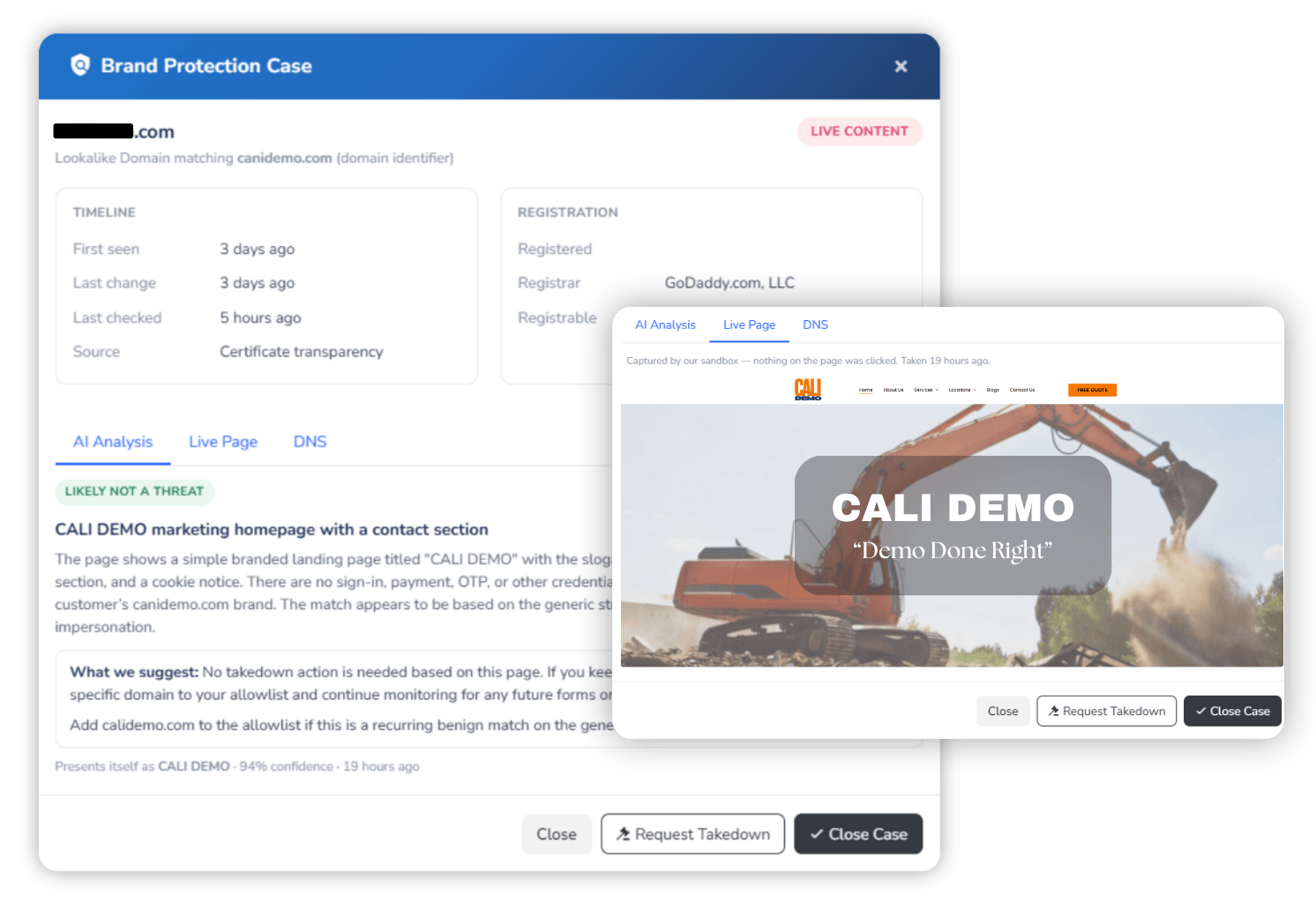
Every detection becomes a case that's re-checked automatically, as often as every six hours for live threats. Cases move from Detected and Parked through to Mail Records Added, Live Content and Credential Harvesting, with severity escalating automatically as a domain becomes weaponized.
Know Exactly What Each Page Is Doing
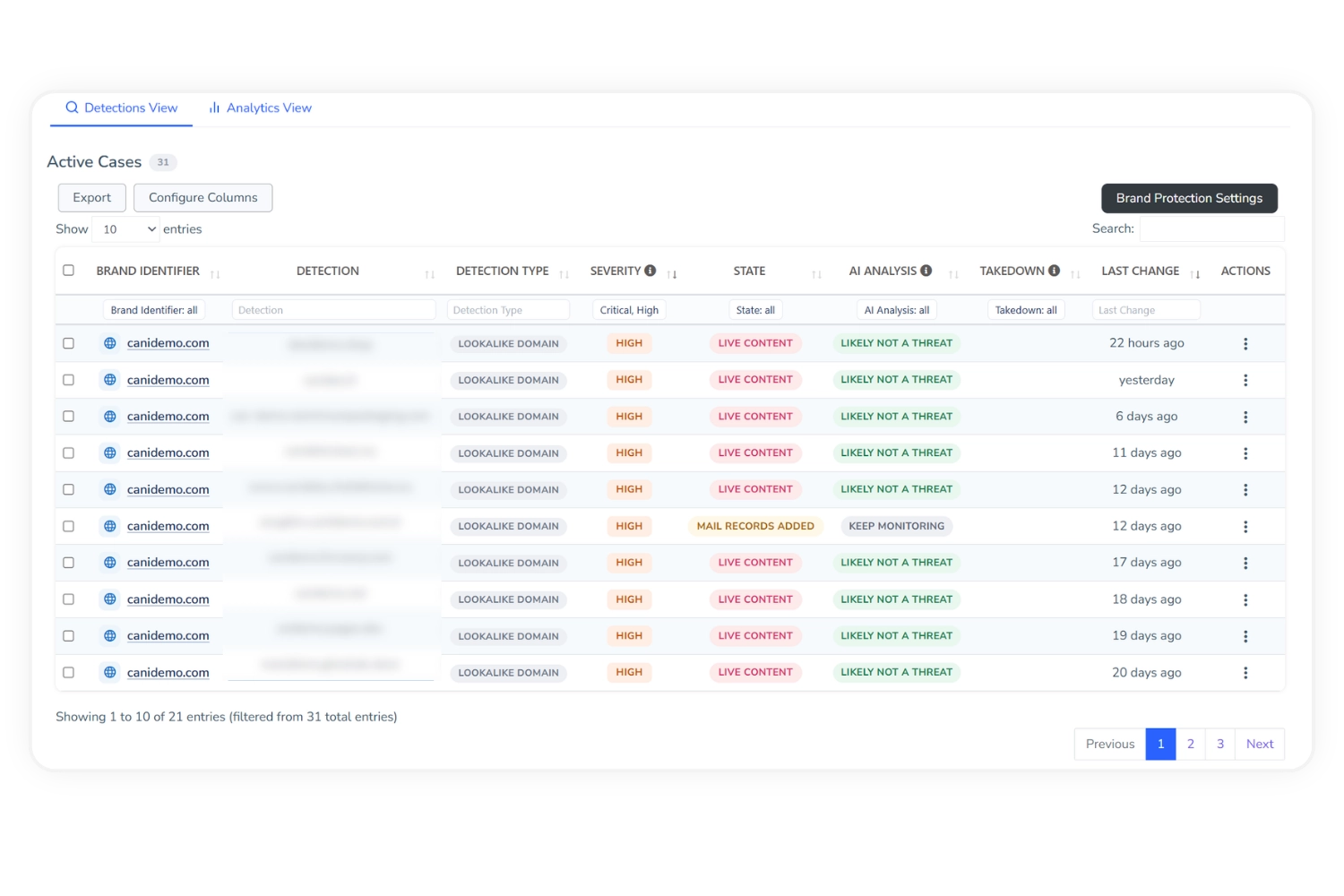
When a lookalike serves live content, CanIPhish captures it inside an isolated sandbox, never from your network. An AI analyst checks for brand impersonation and credential harvesting, then recommends Takedown Suggested, Keep Monitoring or Likely Not A Threat, cross-referenced against the APWG eCrime Exchange.
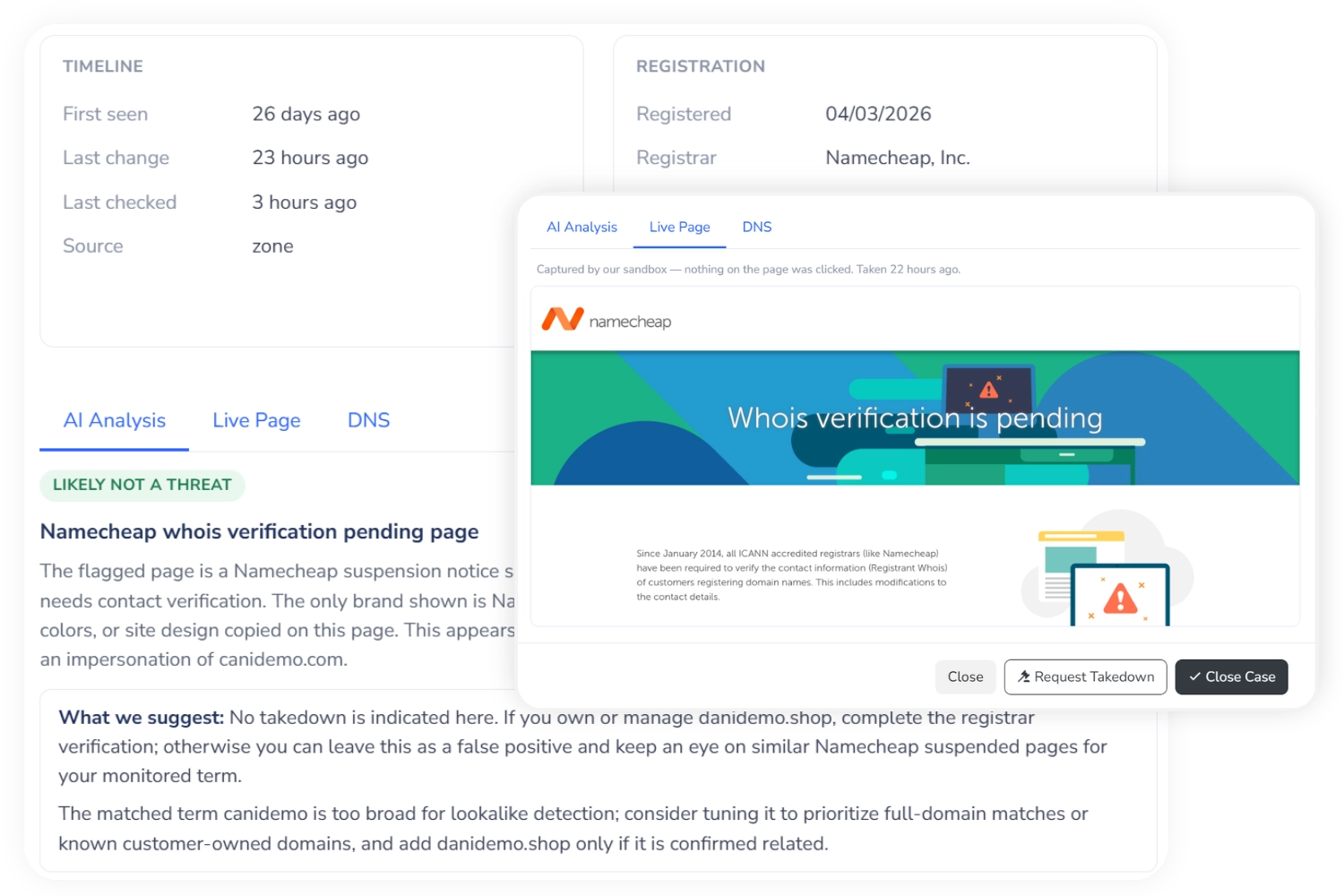
Request A Takedown In A Few Clicks
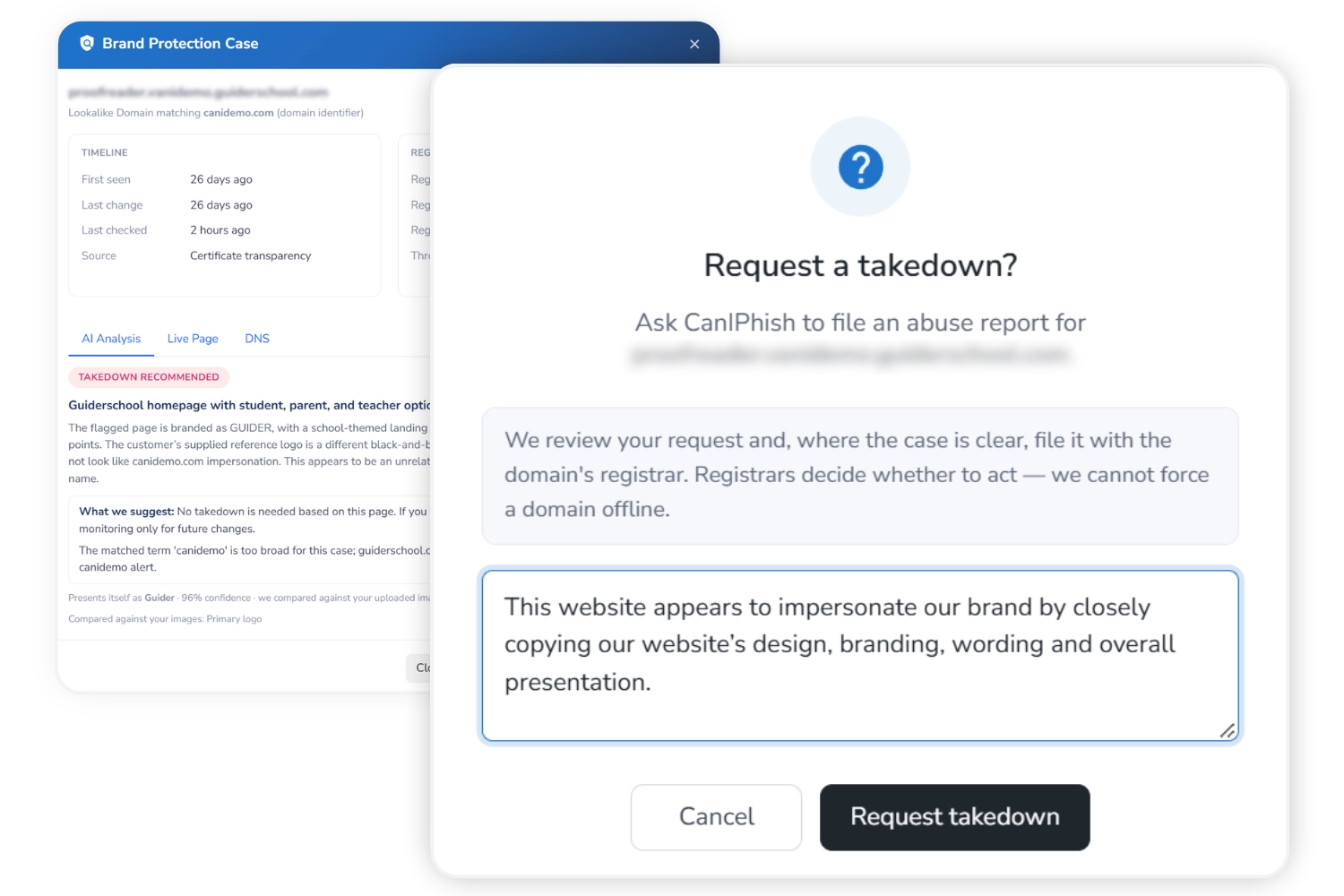
Raise a takedown directly from the case. CanIPhish assembles the evidence, including registrar and hosting abuse contacts, the captured screenshot, DNS and registration details and threat intelligence. Every request is reviewed by a person before it's sent, with the outcome reported back to you.
Get Alerted The Moment A Case Escalates
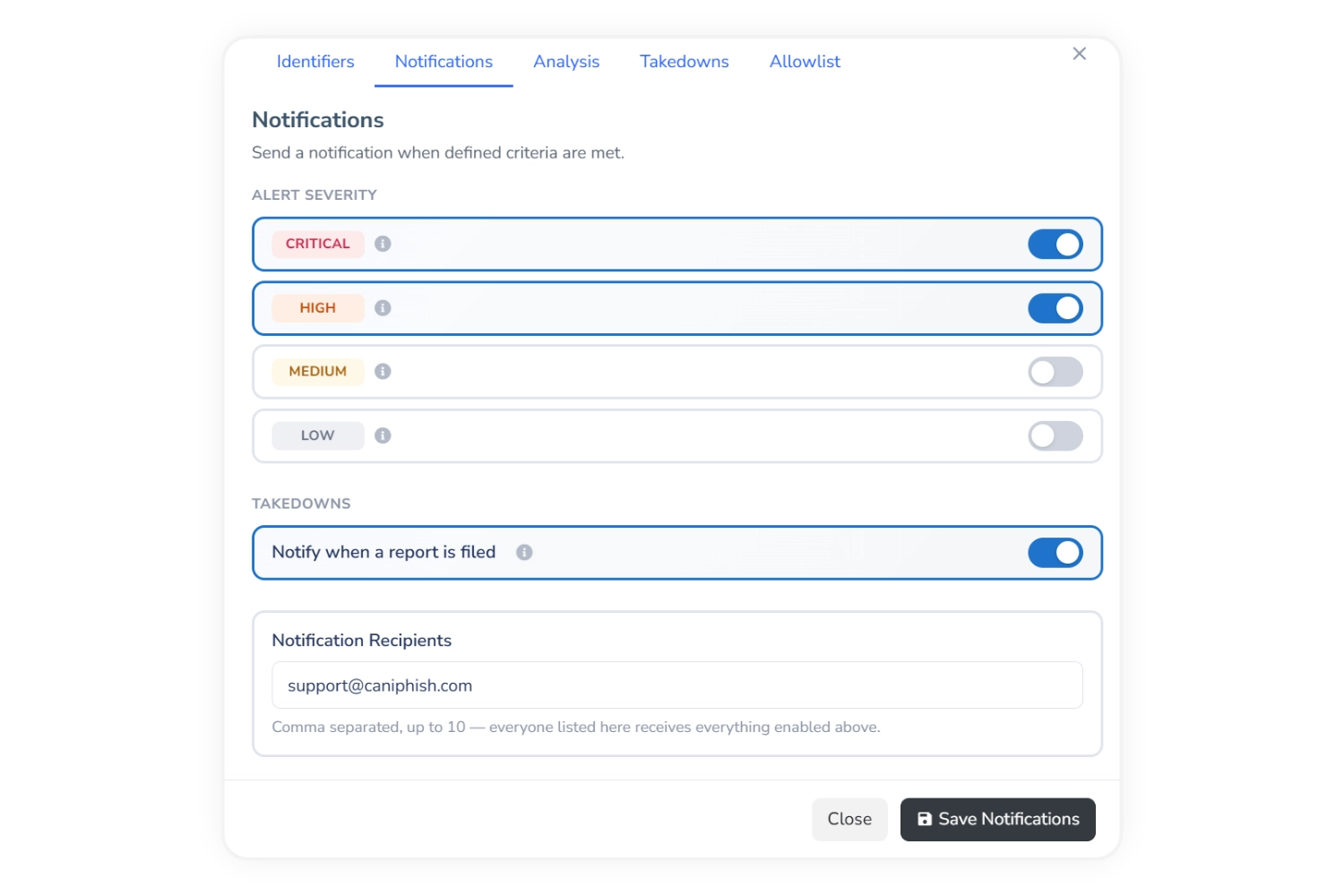
Choose which severities generate an email alert and who receives them. With High enabled, you're emailed the moment any case escalates to High. You can also be notified whenever a takedown report is filed, including where it was sent.
Built For Continuous Protection
Early Warning
Most lookalikes sit dormant for weeks before they're used. Brand Protection finds them in that window, before the first phishing email lands.
Automatic Escalation
Every case carries a Critical, High, Medium or Low severity that moves with the domain's behavior, so a dormant lookalike that goes live escalates automatically.
Isolated Sandbox
All page captures and AI analysis happen in an isolated CanIPhish environment. Your network never touches suspicious infrastructure.
Industry Threat Intelligence
Detections are cross-referenced against the APWG eCrime Exchange, so you can see when a lookalike has been independently reported as malicious.
Human-Reviewed Takedowns
Every takedown request is reviewed by a person before it's sent, with the status of each case's latest request tracked in one place.
Hands-Free Monitoring
Once identifiers are configured, discovery and re-checking run continuously. You only need to act when a case is worth a takedown.
Included With Enterprise. No Extra Cost.
Brand Protection comes with every Enterprise subscription as an added benefit, so you can drop the separate brand monitoring tool you're paying for today.
Create a free account-
Set Up In SecondsToggle it on and add your domains and keywords. Monitoring starts immediately.
-
Let AI Do The AnalysisEvery live lookalike is safely captured and assessed by AI, with a clear takedown recommendation.
-
Consolidate Your Security ToolsGet lookalike monitoring and takedowns alongside your phishing and training, instead of paying for another platform.
Frequently Asked Brand Protection Questions
Brand Protection is included with Enterprise subscriptions at no additional cost.
Some detections turn out to be legitimate businesses with coincidentally similar names, and the AI analysis will typically flag these as "Likely Not A Threat". You can close the case as Not A Threat so it doesn't reopen, or add the domain to your Allowlist to stop it and matching patterns from being detected again.
No. Once identifiers are configured, discovery and case re-checking run continuously and automatically. You only need to act when a case is worth a takedown, and alerts will tell you when that moment arrives.
No. All page captures and AI analysis happen inside an isolated CanIPhish sandbox environment. Your network never touches the suspicious infrastructure.
An administrator completes a one-time authorization confirming your organization's legal name. This authorizes CanIPhish to report brand infringement on your organization's behalf.
Toggle on Brand Protection under Threat Analysis in the CanIPhish platform, add the domains and keywords that identify your brand, then choose your alert severities and recipients. Monitoring begins immediately. Read the full guide.