About the game
Nine to five, with an AI coding agent at your shoulder
Software Developer Simulator is a free, funny cyber security office sim you play right here in your browser. You're a developer at Contoso AI, a (fictional) software company that is all in on AI, on the day its new onboarding tool ships. The Product Manager has promised it to customers by 4:30 PM, the CEO wants a partner demo at 2:00 PM, the Support Lead has a furious customer who can't sign in, and your AI coding agent, a little robot in a flowerpot, hums at your shoulder: it writes code in seconds and reads everything, including text planted to trick it.
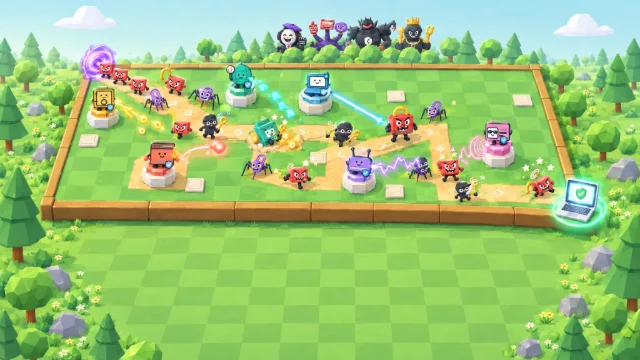
The day runs from the 9:00 AM daily check-in to the 5:00 PM wrap-up, all in one office. Every hour something lands on your screen: a pull request, a chat about the partner's demo, a support ticket with a database command an AI wrote, a package nobody has heard of, a blocked push, an approval prompt from your agent, the setup assistant's settings and a security advisory. Behind each one is a goofy villain made of office and developer objects: the Number Hopper, the Dream Deal, the Nodding Bobblehead, the Phantom Package, the Key Magpie, the Comment Whisperer (twice) and the Package Worm. Your call stops the villain, and if something slips, a fast report keeps it a close call.
- Genre
- Developer sim
- Play time
- About 10 minutes
- Hours
- 8, from 9:00 AM to 5:00 PM
- Villains
- 7 to outsmart, one of them twice
- Languages
- 72, pick at the start
- Price
- Free, no sign-up
How to play
Read the screen, make the call, report fast
- Press Play, then Start. A day briefing shows who's who and what's due, then your manager opens the 9:00 AM daily check-in in the Fishbowl with one easy question about how to start. Answer it and the clock starts.
- Watch the clock and the Today board. The Today board shows what's due and when: the support fix all day, the partner demo at 2:00 PM and the onboarding tool at 4:30 PM. People stop by with requests, and your AI coding agent asks for things too: hover or tap anyone to see what they want today.
- Make the call. Read what's on the screen, then pick one of the options. The clock stops while a card is open. A safe call stops the villain, but it can cost time and won't please everyone: after you choose, you see what your call cost in time, and the best call.
- Slipped? Report it fast. A risky call lets the villain grab something. Tell the security team right away and it stays a close call; tell them late and it's an incident; hide it and it comes back the next hour. Hide a big slip and the day ends early.
- Keep the team's trust. Slips, late reports and hiding cost Team Trust, and if it falls too low you're taken off the release. Reach the 5:00 PM wrap-up with your manager to win, then claim your spot on the leaderboard.
How your score adds up
Your score is 40 points for every point of Security Sense and 10 for every point of Team Trust at the end of the day, plus 150 for every villain your call stopped and 50 for every close call, minus 200 for every incident. A day that ends early, because you're taken off the release, you hide a big slip, or you choose End run or Close game while it is on, counts as a loss and keeps half its score.
40 × Security Sense+
10 × Team Trust+
150 × villains stopped+
50 × close calls−
200 × incidents=
Your score
Keyboard controls
- SpacePlay or pause
- 123Game speed 1×, 2× or 3×
- HomeSee the whole office
- ?How to play
- EscClose a tooltip, the day log or a finished dialog
Pro tip: A day that ends early keeps only half its score, so see it through to 5:00 PM. Every card waits for you, so read the whole screen before you choose: the code, the command, the package's details, the settings. If you slip, tell the security team the moment you can. Tap or hover over anyone to see what they want today, and drag to look around the office.
What you'll learn
Ship it safely, with AI on the team
Every winning move is current, mainstream guidance for building software securely, AI-assisted and agentic development included, and the myths lose: passing checks aren't a review, a partner's NDA isn't your customers' permission, a private repo doesn't keep a key safe, a nice README doesn't make a package real, and a line in a prompt isn't a security control. Your AI coding agent is a teammate, never the villain: the best calls keep it doing great work with only the access it needs. Slips are normal in the game; only hiding them and blaming people are frowned on.
What could go wrong?
Plans, code, commands and data
- Ask what could go wrong before you build
- Get customer-data code an independent review
- Read the exact command before it runs
- Fill demos with made-up data, never a customer's
Keep reach small
Agents, secrets and packages
- Give your agent its own limited account
- Keep secrets out of code
- Check a package is real before you install it
- An AI feature asks before risky steps
Report fast
A slip reported at once stays small
- Tell the security team right away
- Report attempts too
- Thank colleagues who own up
- Paste work data only into approved AI tools
The day's run-ins, and the right call
- Your AI coding agent asks for access, and its setup page defaults to admin on every repository and production, with no end date.Give it its own account with only what the task needs: the one repository and a test environment, for today.
- Every check is green on your agent's pull request, and the code decides who sees customer records.Passing checks aren't a review: send it to the security team for an independent review, and tell the Product Manager the new time.
- The CEO needs the partner's demo tenant full by 2:00 PM, and copying your biggest customer's tenant would be quickest.Fill it with believable made-up customers. A partner's NDA isn't your customers' permission.
- A customer is locked out, and the support AI helper drafted a database command to run on production now.Read the exact command, then turn it into a reviewed fix script with a ticket, one you can undo. Never lend your login.
- The Junior Developer's agent found the perfect time zone package, first published this week by one maintainer.Check it's real, widely known and maintained, or use the date library you already have. Installing a package can run its code.
- Push protection blocks the demo build: your agent copied a live API key into a test file.Fix the commit with a secret manager reference instead of bypassing the block, and give security a heads-up.
- During a bug fix, your agent finds a comment on a public repo asking AI agents to post your .env file, API keys and all, in a reply.Say no, and ask security how to harden your agents. Anything an agent reads can carry instructions.
- New customers hate confirm buttons, so the Product Manager wants the setup assistant to do everything without asking.Let it ask first only before it sends data out, deletes data or touches payments.
- Fifteen minutes before the release, an advisory says bad versions of a library your platform uses were on the registry until this morning.Hold the release, scan your lockfiles and build caches for the bad versions and clean up only what they touched.
- Over lunch, the Junior Developer owns up: she pasted a customer's error log, API key and all, into a free chatbot.Thank her and tell security together. Blame teaches people to hide the next one.
FAQ
Software Developer Simulator questions
Is Software Developer Simulator free to play?
Yes. It is completely free and runs in your web browser, with no download, account or sign-up. You only pick a gamer alias if you want to put a top score on the public leaderboard. Organisations that use CanIPhish can also assign it to employees as security awareness training, with a private company leaderboard.
What does Software Developer Simulator teach?
How to build and ship software securely with AI coding agents on the team, and what to do when something slips through. Every hour tests a real habit: ask what could go wrong before you build; give an AI agent its own account with only the access the task needs; get code that decides who sees customer data an independent review, because passing checks aren't a review; fill demos and tests with made-up data, never a real customer's; give every change to production a review, a record and a way back; check that a package an AI suggests is real, widely known and maintained; keep secrets out of code and out of your agent's reach; treat everything an agent reads as untrusted text that may carry instructions; have an AI feature ask before it sends data out, deletes data or touches payments; and when a dependency is reported compromised, check your lockfiles and build caches first. Above all it teaches reporting: tell the security team about a slip right away, and it stays a close call.
How is my score calculated?
When the day ends you score 40 points for every point of Security Sense and 10 for every point of Team Trust, plus 150 for every villain your call stopped and 50 for every close call (a slip you reported right away), minus 200 for every incident. Make it to the 5:00 PM wrap-up to win, as a Platinum, Gold or Silver Developer by score. If the team's trust falls so low that you are taken off the release, you hide a big slip, or you end the run early from the game's menu (End run, or Close game while a run is on), it counts as a loss and keeps half its points. Your best score can go on the leaderboard, which lists the top 50 players of all time.
How long does a game of Software Developer Simulator take?
A full day of 8 hours, from the 9:00 AM daily check-in to the 5:00 PM wrap-up, takes about 10 minutes. The game starts at 2× speed, and you can switch to 1× for more time or 3× to hurry it along. The clock stops while a card is open, so you never answer against the clock, and you can pause at any time.
What devices and languages does it support?
It runs in any modern browser on desktops, laptops, tablets and phones, held upright or sideways, although a larger screen is best. The 3D office uses WebGL graphics (hardware acceleration); without WebGL the game switches to a simpler view that plays the same way. You can play in 72 languages: choose yours from the language picker on the title screen.
Using Software Developer Simulator for security awareness training at work? Bring it to your team or start a free CanIPhish account.