About the game
Everyone has gone home. You are the last one out.
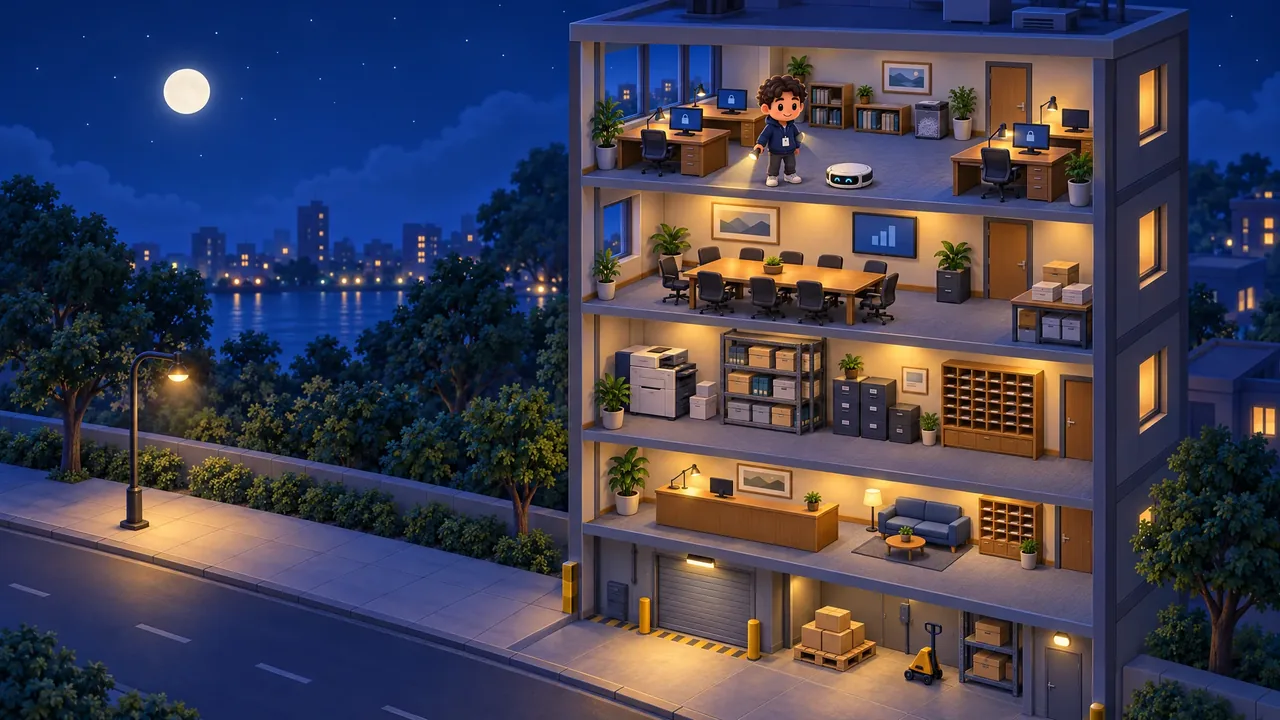
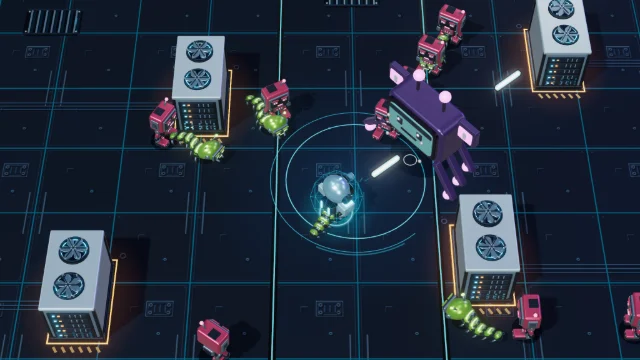
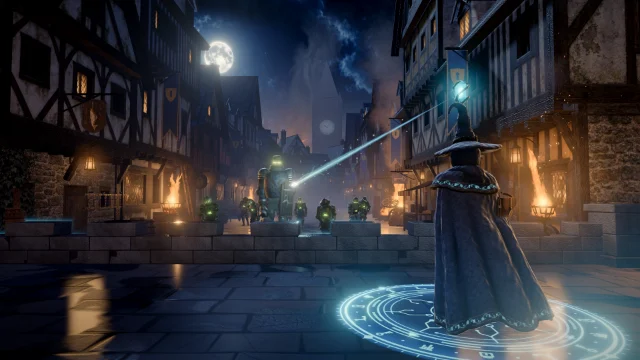
After Hours is a free cyber security game you play right here in your browser. It's night in an office building and the staff have gone home. You're a flashlight sweeping the building floor by floor, from the open office at the top down to the loading dock, looking for what was left open, lit or lying around: a screen nobody locked, a door propped open, a badge on a chair, a printout in the tray. Tap a thing to put it right, and one line tells you what to do about it in real life.
Not everything is trouble. A locked screen or a bin of shredded paper is fine as it is, so look twice before you tap. When a floor's search ends, anything you missed is shown to you and fixed, with its line, so you never leave a floor without the habit. Miss no more than one thing and the floor is locked up. A little cleaning robot trundles over to help whenever you're stuck.
- Genre
- Hidden object
- Play time
- About 8 minutes a night, in one sitting
- Floors
- 5, from the open office down to the loading dock
- Things to fix
- 40 a night, drawn from 57 hiding spots
- Languages
- 72, pick at the start
- Price
- Free, no sign-up
How to play
Look, tap, lock up
- Press Play, then Start. The elevator opens on floor 5, the open office, and takes you down a floor at a time. Turn on Relaxed pace first if you'd like no clock, or Show hints if you'd like the little robot's help sooner, with a soft glow where to look.
- Look. Something on every floor was left open, lit or lying around. The count at the top shows how many things you've fixed out of how many there are, never what they are.
- Tap to fix. Tap or click a thing to put it right. One line tells you what to do about it in real life.
- Mind the look-alikes. Tapping something that's already fine costs time off the clock and the floor's spotless bonus, and taps on empty floor cost time after the first two.
- Lock up and move on. Anything you missed is shown and fixed for you before the next floor. After floor 1, set the alarm and step outside to see your results and three habits to try for real, then claim your spot on the leaderboard.
How your score adds up
Every thing you fix scores 100 points. A floor you lock up adds 250, a spotless floor adds 250 more, and a floor you lock up scores 5 points for every whole second left on its clock. A run you end early with End run or Close game keeps half its score.
100 × things fixed+
250 a floor locked up+
250 a spotless floor+
5 × seconds left=
Your score
Controls
- Click or tapFix a thing
- Double-tapZoom in or out on a touch screen
- DragLook around while zoomed in
- TabMove to the next thing you can tap
- EnterSpaceTap it
- EscPause
- MSound on or off
Pro tip: Stuck? Watch the little robot: it heads for something you haven't fixed yet, and Show hints, on the title screen or in the pause menu, brings it sooner. Relaxed pace takes the clock away and still counts in full, without the time points. End run and Close game end the night at half your score so far, so play it out if you're chasing a top spot.
What you'll learn
Six habits for the end of the day
Every night draws things to fix from all six habit families, and every fix comes with one line on what to do about it at work. The search is visual: you play by looking at a painted room. No IT team or front desk where you work? Turn to your manager instead.
Screens and devices
Computers, laptops and drives
- Lock your screen whenever you step away
- Lock laptops away overnight or take them with you
- Hand old devices to IT, never to the trash
Paper
Printers, desks and bins
- Pick up your printouts right away
- Lock away papers with personal or customer details
- Shred papers with personal details before you throw them out
Keys and doors
Doors, keys, codes and cameras
- Close a propped door behind you
- Keep keys locked away and door codes off notes
- Report a camera or door sensor that's blocked
Badges and visitors
Badges, sign-in books and visitors
- Keep your badge with you
- Hand a badge you find to reception
- Visitor badges go back to reception when the visit ends
Found things
USB sticks, phones and unknown devices
- Hand a found USB stick to IT without plugging it in
- Leave a device you don't recognize where it is and tell IT
- Hand a phone or laptop you find to IT or reception
Rooms and walls
Meeting rooms, screens and glass walls
- Wipe the whiteboard when the meeting ends
- Stop sharing and sign out of the room screen
- Take down notes that face the hallway
FAQ
After Hours questions
Is After Hours free to play?
Yes. It is completely free and runs in your web browser, with no download, account or sign-up. You only pick a gamer alias if you want to put a top score on the public leaderboard. Organizations that use CanIPhish can also assign it to employees as security awareness training, with a private company leaderboard.
What does After Hours teach?
The everyday habits that keep a workplace safe once everyone has gone home, in six families: screens and devices, keys and doors, badges and visitors, rooms and walls, found things and paper. On a night you might lock a screen left unlocked, shred a password on a sticky note, close a propped door, hand a found badge to reception or wipe a whiteboard before the next meeting. A USB stick on the floor goes to IT without being plugged in, and a device you don't recognize stays where it is while you tell IT. Every fix shows one line on what to do about it in real life, anything you miss is shown to you with its line before the next floor, and the results end with three habits to try for real.
How is my score calculated?
Each thing you fix scores 100 points. Lock up a floor, with no more than one thing missed, and it adds 250, and a spotless floor, with nothing missed and no look-alike tapped, adds 250 more. A floor you lock up also scores 5 points for every whole second left on its clock. Tapping a look-alike takes 5 seconds off the clock, and after the first two empty taps on a floor each one takes 2. Relaxed pace takes the clock away, and its time points with it. End run, or Close game during a run, ends the run at half your score so far. Lock up all 5 floors to win. Your best score can go on the leaderboard, which lists the top 50 players of all time.
How long does a game of After Hours take?
A night takes about 8 minutes. Each floor has its own clock, from one minute on the top floor to a minute and a half on the bottom two, and Pause stops it whenever you need a moment. A night is played in one sitting, with no saved progress, and every new night draws a fresh set of things to find from 57 hiding spots.
What devices and languages does it support?
It runs in any modern browser on desktops, laptops and tablets, and on phones held sideways. Click or tap a thing to fix it; on a touch screen you can also double-tap to zoom in and drag to look around. With a keyboard, Tab moves through everything in the room you can tap, Enter or Space taps it and Escape pauses. The search is visual: you play by looking at a painted room. You can play in 72 languages: choose yours from the language picker on the title screen.
Using After Hours for security awareness training at work? Bring it to your team or start a free CanIPhish account.