Zoom Phishing Attacks: Why A Meeting Invite Is No Longer Proof

Are you still treating every Zoom invite as safe just because it looks like a normal meeting request?
Honestly, most of us do.
Video meetings are one of the most common ways people communicate at work. Employees click meeting links all day without giving it much thought. The button says "Join Meeting," so they join.
The result is simple: a meeting invite is no longer proof that the meeting is legitimate.
In this blog, we'll look at how Zoom phishing works, where these attacks show up, and how to spot a fake invite before it causes trouble.
Let's dive in.
What is Zoom?
Zoom is a video conferencing platform many workplaces use for team calls, client meetings, webinars, interviews, and remote work.
It can be accessed via computers, tablets, and mobile devices, making it easy for people to communicate and collaborate from almost anywhere.
Zoom has come a long way from simply hosting video calls. Its built-in AI tools can now transcribe meetings, create summaries, pull out action items, and help users catch up on anything they missed.
What Are Zoom Phishing Attacks?
Zoom phishing is a type of social engineering where cybercriminals impersonate Zoom, a meeting organizer, or a workplace calendar invite to trick employees into taking an unsafe action, such as clicking a malicious meeting link, entering login details on a lookalike page, or downloading a fake Zoom update.
In other words, attackers make their scam look like another perfectly normal meeting invite competing for space in your already crowded calendar.
Why Do Fake Zoom Meeting Invites Work So Well?
Fake Zoom invites work because they do not feel unusual enough to set off alarm bells.
Most employees are accustomed to receiving meeting links from both internal and external parties. A Zoom invite from a familiar contact does not automatically feel suspicious.
Fake meeting invites are convincing because:
- Meetings are part of everyday work
- Employees are often in a rush
- External meeting links are common
- Calendar invites feel more official than random emails
- "Join Meeting" buttons are familiar
- The sender's name may look trusted
- The topic may feel relevant to the employee's role
- Urgency makes people act before checking
How Zoom Phishing Attacks Work
Most Zoom phishing attacks follow a simple pattern. They look normal, create urgency, and get you to click.
While the details may vary, the attack usually follows the same basic path:
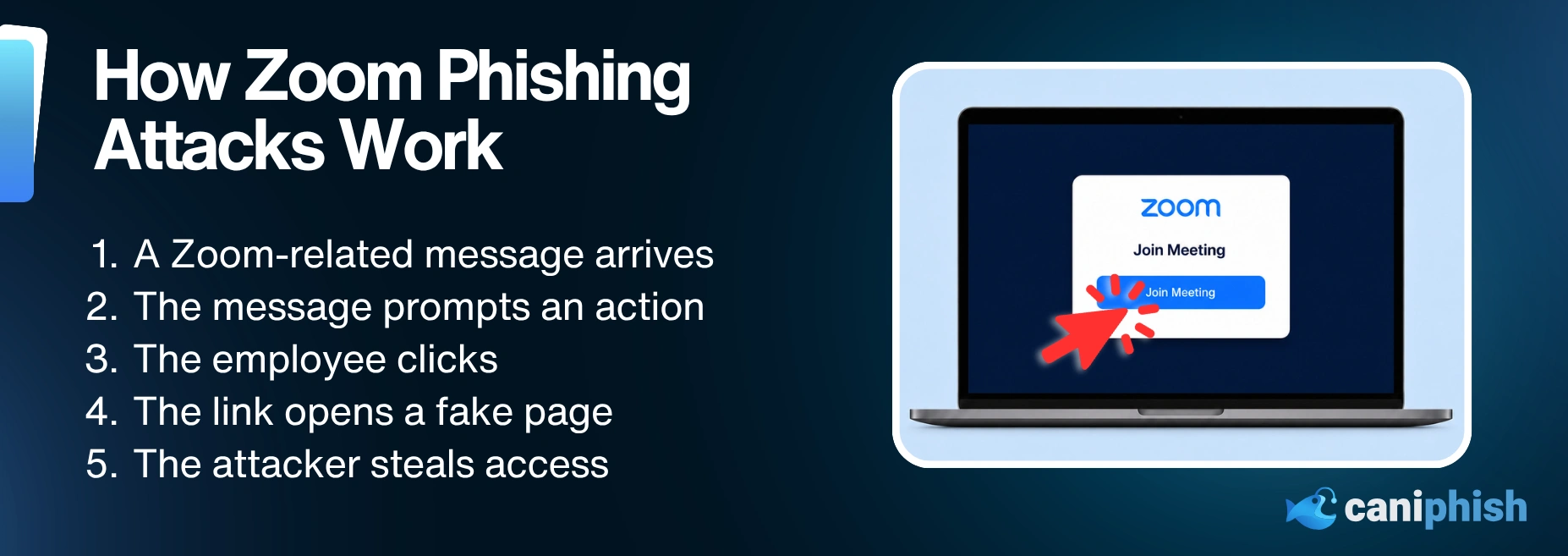
- The employee receives what looks like a Zoom-related message.
- The message includes a button or link to join, view, register, or download something.
- The employee clicks because the request feels normal or time-sensitive.
- The link leads to a fraudulent Zoom page, login screen, or unsafe download.
- The attacker uses that moment to steal credentials, install malware, capture access, or move the employee into another scam.
The trick works because the employee is not thinking, "I am about to interact with a phishing attack." They are thinking, "I am late to a meeting."
Where Zoom Phishing Shows Up
Zoom phishing does not always arrive waving a giant red flag. Annoying, but very on brand for phishing.
It usually shows up in the same places employees already expect to see meeting links, reminders, recordings, updates, and external requests.
Here are the common places it shows up:
Meeting invites and reminders
This is the obvious one. A meeting invite lands in the inbox or calendar with a "Join Meeting" button, a meeting time, and just enough detail to look normal.
Lookalike Zoom sign-in pages
The link opens a page that looks like Zoom and asks the employee to sign in before joining.
That is the trap. The page looks like part of the meeting process, but it may be collecting login details instead.
Fake waiting rooms
Some fake pages make it look like the meeting is already starting, so to create urgency, they show a waiting room, fraudulent participants, camera prompts, or audio issues.
That is what makes it sneaky. The employee feels like they are dealing with a meeting problem, not a phishing page.
Malicious updates and downloads
This is the "Zoom needs an update before you can join" trick.
The download may appear to be a plugin, installer, or troubleshooting tool. In reality, it could install malware, remote access software, or something else nobody asked for.
Meeting recordings and follow-ups
These usually show up after the meeting is over.
The message might say a recording, transcript, or summary is ready. If someone missed the call or joined late, they may click quickly because they do not want to miss anything important.
Webinars, interviews, and external meetings
Fake Zoom invites are not always pretending to be internal meetings.
They can show up as webinar registrations, job interviews, vendor demos, client calls, or training sessions. That is what makes them easy to miss. For many teams, those meetings are already part of the job.
The more relevant the invite feels, the less likely someone is to question it.
What Are Attackers Trying To Steal Through Zoom Phishing?
The Zoom meeting is the bait. The attackers are after access.
Depending on the attack, they may be trying to steal:
Login Credentials And Account Access
The sign-in page may look like Zoom, but the attacker is not always after a Zoom password.
They may be trying to steal Microsoft 365, Google Workspace, or company SSO details. Those accounts can unlock email, files, calendars, chats, and other internal systems.
Attackers may also try to capture MFA codes, trick employees into approving login requests, or steal active session tokens.
Sensitive Company Information
Spoofed meeting links may lead to phishing pages or malware designed to access shared drives, documents, contracts, customer information, HR records, or other sensitive company data.
Payment And Invoice Information
A fraudulent Zoom invite can also be used to make a payment request feel less random.
For example, an attacker might pretend to be a vendor, client, or executive and use the "meeting" as cover for changing bank details, chasing an invoice, or pushing an urgent payment.
Access To The Employee's Device
Some fake Zoom pages claim the employee needs to install an update, meeting plugin, or troubleshooting tool before joining. Instead, the download may install malware or remote access software that gives attackers control over the device.
How To Check A Suspicious Zoom Invite
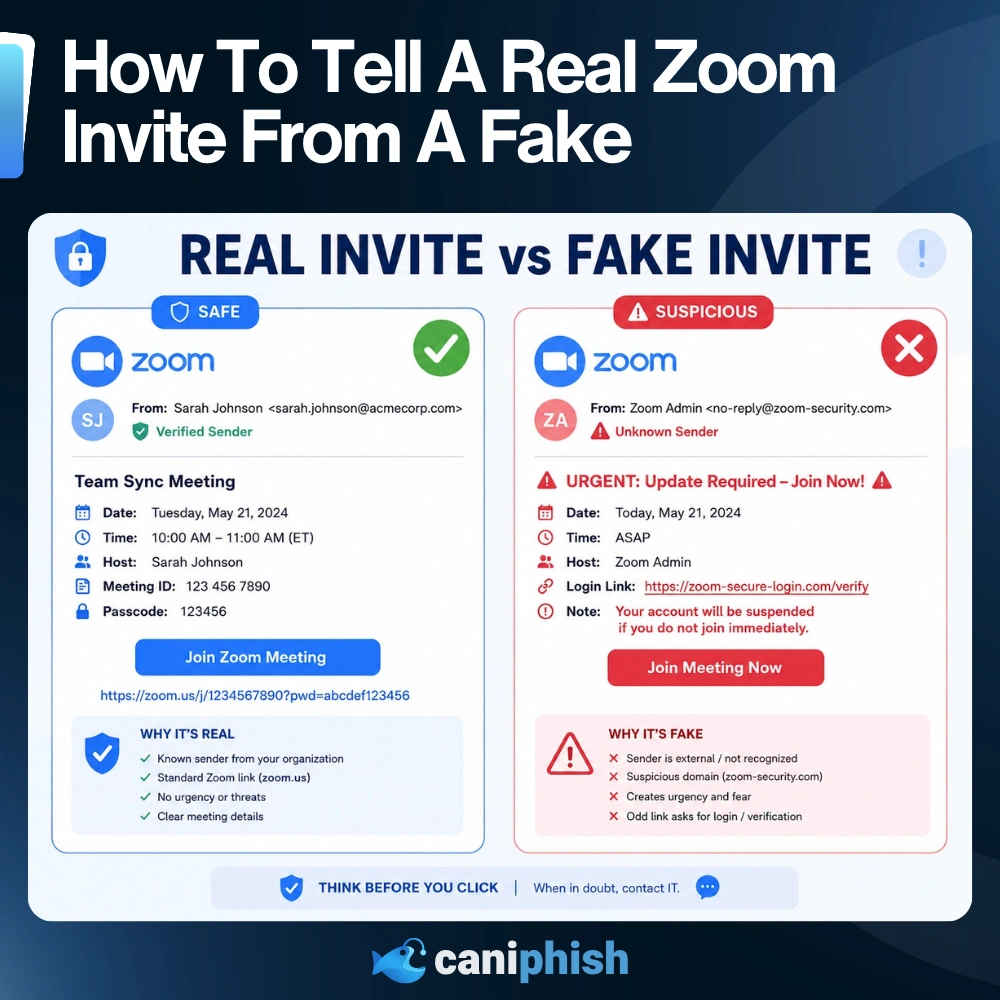
If a Zoom invite feels strange, you don't need to conduct a full-blown investigation with a corkboard and red string.
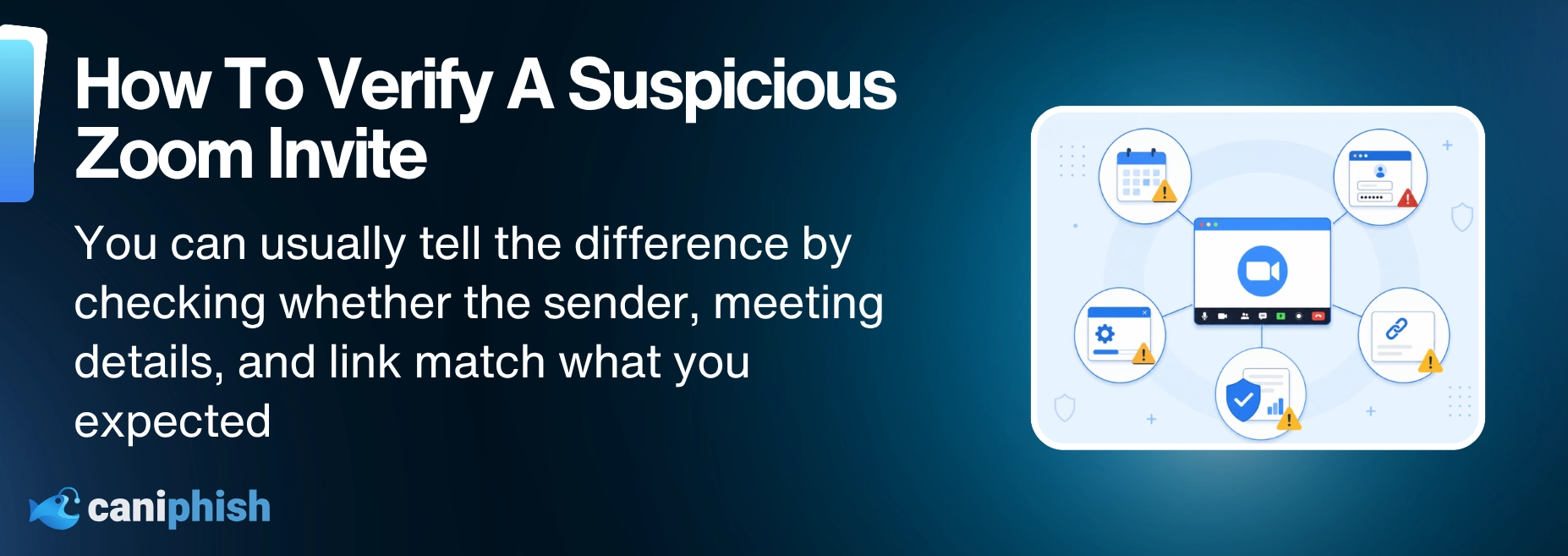
Just slow down and check the basics before clicking.
Check The Sender
Do not trust the display name on its own. Open the sender details and check the full email address.
Look for misspellings, extra words, odd domains, or anything that does not match the person or company you were expecting.
Question The Invite
A real meeting usually has a reason to exist.
If the title is vague, the timing feels odd, or the invite has landed out of nowhere, slow down before clicking.
Hover Over The Link
Before clicking the "Join Meeting" button, hover over the link to see where it leads.
Check whether the domain genuinely belongs to Zoom.
Go To Zoom Directly
Open the Zoom app or check your official calendar instead of clicking the link in the invite.
If the meeting is legitimate, there should usually be another way to find it.
Confirm Through Another Channel
Something about the invite does not feel right? Contact the organizer using Teams, Slack, email, or a phone number you trust. Avoid replying to the invite itself.
Avoid Unexpected Downloads
If a meeting page says you need to download an update, stop.
Zoom updates should come through the official Zoom app or website, not from a random meeting page.
Report It
Send the suspicious invite to your IT or security team.
A quick report can help them block it before someone else gets stung. Much better than letting the fake meeting do a full office tour.
How Can Organizations Prevent Zoom Phishing Attacks?
The goal is not to make employees scared of every meeting invite. Nobody needs that kind of calendar anxiety.
The goal is to help employees slow down when a meeting request feels unexpected, urgent, or slightly off.
Businesses can reduce Zoom phishing risk by:
- training employees to spot counterfeit meeting invites
- running phishing simulations that include Zoom-style lures
- teaching employees how to verify unexpected meetings
- using email authentication such as SPF, DKIM, and DMARC
- enabling MFA, especially phishing-resistant MFA where possible
- blocking known malicious links and unsafe downloads
- restricting unauthorized remote access tools
- keeping browsers, Zoom, and endpoint protection updated
- creating a simple reporting process for suspicious invites
- reviewing how external calendar invites are handled
- giving employees clear rules for downloading software updates
Security awareness training should not only focus on obvious bogus emails. Employees need practice with the scams they are most likely to see during a normal workday.
Real-World Example: Lazarus Group Turns A Fake Zoom Meeting Into An Attack
Usually, joining a Zoom call is harmless. Imagine joining one created by a North Korean hacking group? Not ideal.
In June 2025, security researchers found a campaign linked to BlueNoroff, a financially motivated subgroup of North Korea's Lazarus Group. The attackers targeted executives in the cryptocurrency and Web3 industries, luring them into fake Zoom meetings that looked convincing enough to pass for the real thing.
First calendar invites were sent to the victims, containing links to fake Zoom pages. Once the meeting started, it appeared as though other participants had already joined. Instead, the attackers used AI-generated images and footage from previous victims to make the call look legitimate.
Not long after the meeting had started, a fabricated technical issue occurred, and the victims were asked to complete a quick fix. They were guided through what looked like troubleshooting steps, but the instructions actually installed malware on their device. Once installed, the malware could steal credentials, capture session data, and give the attackers remote access to the device.
To top it all off, researchers found that a victim's device could be fully compromised in under five minutes from the first click.
This attack shows how far Zoom phishing has evolved. The victim was not simply sent to a basic fake login page. They appeared to join a real meeting with real participants, making the scam much harder to question before the damage was already done.
10 Reasons Why Smart Employees Fall For Phishing Attacks
Explore 10 psychological and workplace reasons phishing succeeds, even against people who know better.
Read the blog!Frequently Asked Questions
Is Zoom Itself Safe To Use?
Yes, Zoom itself is generally safe to use. The risk is attackers pretending to be Zoom and tricking people into clicking a malicious link, downloading something, or entering sensitive information. Zoom should be accessed through the official app, website, or a trusted workplace calendar invite.
How Do Attackers Make Fake Zoom Meetings Look Real?
Attackers rely on trust and what people expect to see. So that could be a meeting email, a "Join Meeting" button, a lookalike sign-in page, or a fake waiting room that makes the call look like it is already loading. Some pages might make it look like it is already loading or that there are audio issues or a fake update is needed before joining. The whole point is to make the employee think, "Great, Zoom is being annoying again," instead of, "This might be a phishing attack."
Can Zoom Invites Be Used For Phishing?
Yes. Attackers can create malicious Zoom invites that lead to phishing pages, fake login screens, malware downloads, or remote access tools.
How Can I Tell If A Zoom Invite Is Suspicious?
First, check the sender and the link. If the meeting comes out of nowhere, the title is vague, or the invite feels rushed, do not trust it just because it has a "Join Meeting" button. Check with the organizer another way.
Can A Fake Zoom Link Install Malware?
Yes. Some fake meeting pages are designed to push unsafe downloads, updates, installers, or remote access tools. Do not download Zoom updates from pages opened through suspicious meeting links.
Is A Calendar Invite Safer Than An Email?
Not automatically. Calendar invites can also be abused. Treat unexpected calendar events with the same caution as unexpected emails, especially if they include links, attachments, or urgent instructions.
What Should I Do If I Clicked A Compromised Zoom Link?
If you click on a compromised Zoom link, report it immediately. Do not delete the email or invite. Tell IT or security what happened, especially if you entered a password, downloaded a file, approved a prompt, or noticed anything unusual afterward. The quicker it's reported, the quicker it can be shut down.
An Operations Analyst on a mission to make the internet safer by helping people stay a step ahead of cyber threats.