
When the IT team contacts you and says, “We need to access your computer because there’s an issue,” it may not seem particularly unusual.
The person contacting you knows the company name, sounds technically confident, and asks you to open a remote-support tool you may have used before.
The software is legitimate. Unfortunately, the person on the other end is not.
In this blog, we’ll break down how attackers abuse legitimate IT support tools, what warning signs businesses and employees should look out for, and provide real-world examples.
Let’s dive in.
What Are IT Support Tools?
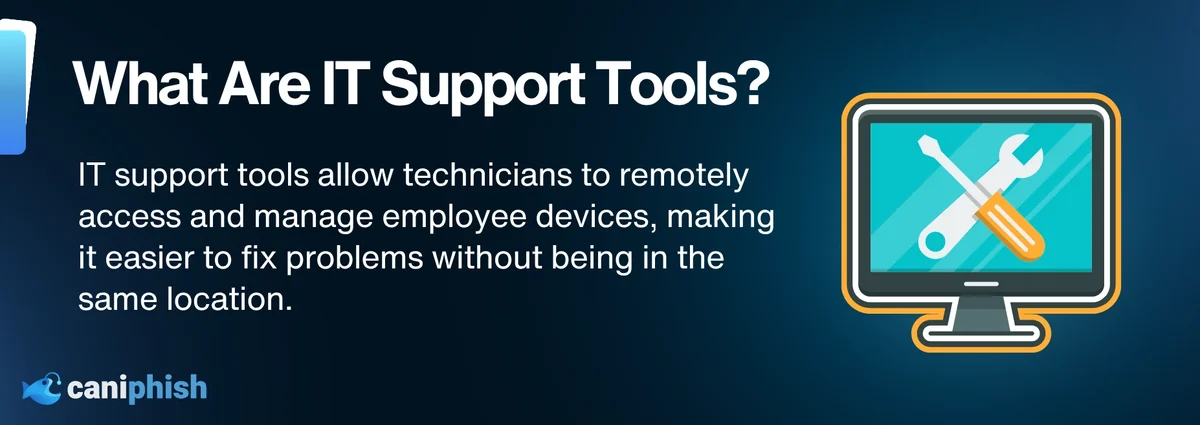
IT support tools are software programs that enable technicians to assist employees remotely.
These tools are designed for different purposes. Some are for individual remote-support sessions. Others are known as remote monitoring and management tools, or RMM tools, which allow IT teams to monitor and manage multiple devices across a business.
Common IT support tools include Microsoft Quick Assist, AnyDesk, TeamViewer, ScreenConnect, Splashtop, and SimpleHelp.
These tools are legitimate and incredibly useful. A technician can solve a problem without travelling to another office or standing beside an employee while asking whether they have tried turning the computer off and on again.
Why Do Attackers Use Legitimate IT Support Tools?
The main reason is trust.
When employees are familiar with the support tool, they assume it’s safe. The download may even appear to be from the provider’s official website, making the request seem far less suspicious than an unexpected attachment or an unfamiliar program.
In some workplaces, the software may already be installed or approved by IT. Security tools may also treat it as normal business software because, technically, that’s what it is.
For the attacker, this creates a convenient path to hands-on access without having to develop or install obvious malware.
This approach follows the same principle as Living off the Land, or LOTL. Instead of relying entirely on custom malware, attackers use legitimate tools and system features to carry out an attack. Remote-support software was built to help people, but in the wrong hands, that trust can become a part of the attack.
How Do Attackers Pretend To Be IT Support?
This is where social engineering plays a big part.
Attackers will do their homework prior to the attack. So they may collect information from company websites, LinkedIn profiles, social media, or previous data breaches. Knowing the employee’s name, job title, department, manager, or the software the company uses can make the conversation feel real.
Firstly, technical language carries weight. If someone from your IT department calls using all sorts of technical mumbo jumbo, and all you really hear is “suspicious activity” and “your account needs fixing,” you’re probably going to say okay. After all, it is their job to know when something has been flagged as suspicious.
Then urgency does the rest. An employee is more likely to comply after being told that their account will be locked because their computer is infected and will stop working unless they act immediately.
What Happens During A Fake IT Support Attack?
The first contact may change, but most fake IT support attacks follow a similar path. Here is how an ordinary support request can end with an attacker controlling the device.
The Attacker Makes Contact
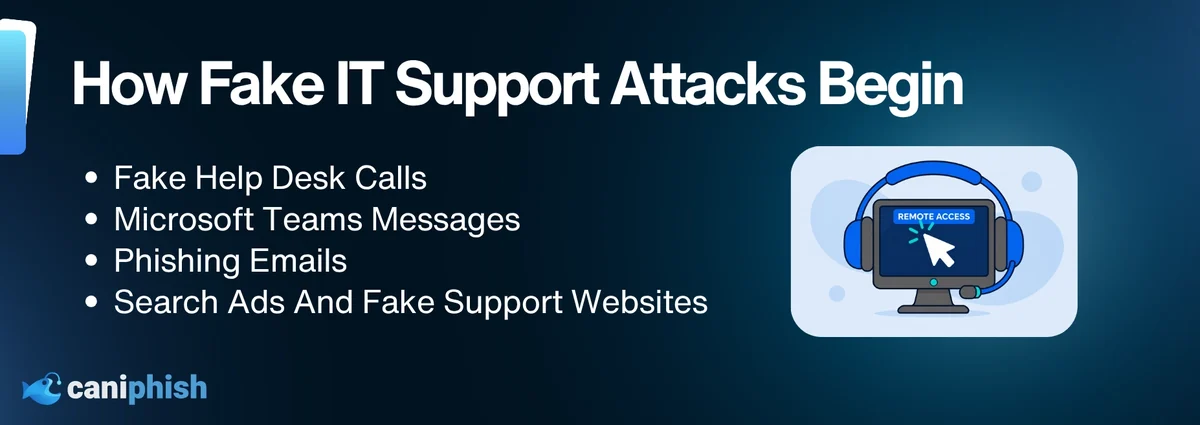
It usually starts with an unexpected call, email, or message. Sometimes, the employee unknowingly finds the attacker while searching online for IT help.
The Employee Opens Or Installs The Tool
The attacker asks the employee to launch an existing tool, download genuine software, or enter a session code.
The Employee Approves The Connection
The attacker gains permission to view or control the device.
The Attacker Takes Control
What appeared to be a support session becomes an active intrusion.
The Attacker Tries To Maintain Access
To be able to reconnect later, the attacker may change the settings, install additional tools or create accounts.
What Can An Attacker Do With Remote Access?
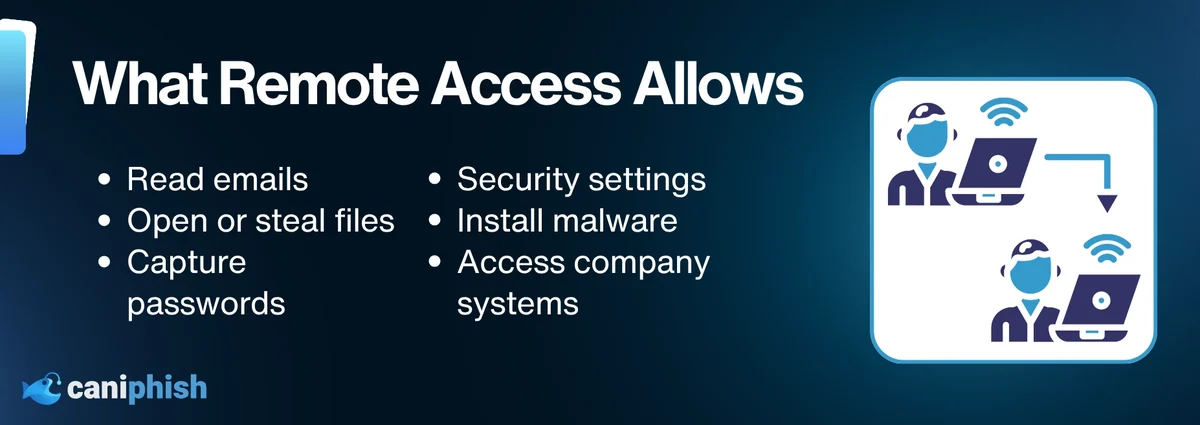
Once an attacker has remote access, they may be able to use the computer almost as if they were sitting in front of it.
They could view the screen, control the keyboard and mouse, open emails, search through files, access company systems, or transfer information elsewhere. They may also use that access to do something far more malicious, such as stealing passwords, or active login sessions, install malware, and change security settings to make their activity harder to detect.
Depending on how much internal access the compromised employee has, the attacker could slowly move through the company network. They could steal sensitive information, prepare for a ransomware attack, or create a backdoor that allows them to return later.
Unfortunately, even limited access can cause plenty of trouble in the wrong hands.
Real Examples Of IT Support Tools Used In Cyberattacks
Using IT support tools in an attack is not hypothetical, unfortunately. Cybercriminals have repeatedly used legitimate remote-support tools to gain access to company devices, steal information, and deploy ransomware.
Microsoft Quick Assist And Black Basta
In May 2024, Microsoft reported that a threat actor known as Storm-1811 was impersonating IT support staff and convincing employees to provide access through Microsoft Quick Assist.
The attackers often overwhelmed employees with unwanted emails before contacting them through Microsoft Teams and offering to fix the problem. Once connected, they used their access to install malware and, in some cases, prepare the environment for Black Basta ransomware.
The tool was legitimate. The person offering to “help” was anything but. Read Microsoft’s report on the Quick Assist attacks.
UNC3753 And Fake IT Support Calls
Between January and May 2026, Mandiant investigated attacks targeting organizations across the US legal, financial, and professional-services sectors.
The attackers, tracked as UNC3753, sent harmless-looking invoice emails before calling employees and pretending to be members of the company’s IT or security team. They then persuaded employees to join screen-sharing sessions or install legitimate tools such as AnyDesk, Bomgar, and Zoho Assist.
Once connected, the attackers searched for sensitive documents, stole company data, and used it to demand payment. In some cases, the entire attack, from the first contact to data theft and extortion, happened within one business day. Read Mandiant’s investigation into the UNC3753 campaign.
The software did exactly what it was designed to do. Unfortunately, so did the attacker.
Warning Signs Of A Fake IT Support Session
There are a few telltale warning signs of a fake IT support session to look out for.
Watch for:
- IT contacts the employee unexpectedly
- The problem is described as extremely urgent
- The employee is asked to use an unfamiliar support tool
- The support request comes through an unusual channel
- The caller provides a download link
- The employee is asked to enter or share a session code
- The supposed technician requests a password or MFA approval
- The employee is told to disable security software
- The technician hides the screen or blocks the employee’s view
- Files, settings, or applications are opened without explanation
What Should Employees Do When “IT” Contacts Them Unexpectedly?
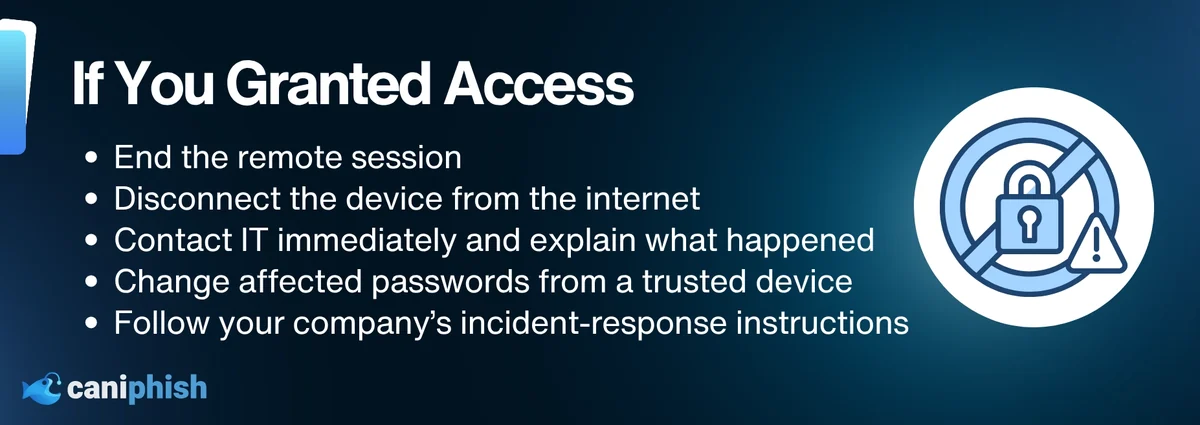
If someone claiming to be from IT contacts you unexpectedly, pause before giving them access to your device. End the call or conversation, then contact the IT team through the official help desk or use the contact details in the company directory.
Ask the IT team to confirm the technician’s name and support ticket. Don’t install software from a link the caller has supplied, share your password, or approve an MFA request you were not expecting.
Report the contact even if you did not grant access. You may have spotted the scam, but someone else in the company could be their next call.
How Can Businesses Prevent IT Support Tool Abuse?
Blocking every remote-support tool is not realistic. Businesses need to decide which ones are allowed, restrict the rest, and make sure employees know what a genuine IT support request looks like.
Approve The Tools You Use
Decide which remote-support tools the company uses and stick to that list.
Restrict Unapproved Tools
Stop employees from downloading or running remote-access software that has not been approved.
Keep An Eye On Remote Access
Watch for unexpected installations, unusual connection times, or remote sessions that do not match a genuine support request.
Protect IT Accounts
Use strong authentication and limit who can access accounts used to manage company devices.
Make IT Support Easy To Verify
Employees should know how IT will contact them, which tools they use, and how to check whether a request is genuine.
Include It In Training
Cover fake support calls, Teams messages, dodgy search ads, and remote-access requests in employee training. A suspicious email is no longer the only thing they need to worry about.
Wrapping Up
A legitimate support tool does not make the person controlling it legitimate.
Employees do not need to recognize every remote-access tool or understand exactly how it works. They just need to stop and verify the request before handing someone the digital keys to their device.
If someone claiming to be from IT contacts you unexpectedly, end the conversation or call and contact their IT team through an official channel. A genuine technician will understand. An attacker will probably be far less enthusiastic about the idea.
Remote support is incredibly useful when the right person is on the other end. When they are not, a quick click can give an attacker access to emails, files, passwords, and company systems. That is a fairly generous welcome for someone who was never invited.
Frequently Asked Questions
What Is An RMM Tool?
A remote monitoring and management tool, or RMM tool, allows IT teams to monitor, update, troubleshoot, and manage multiple devices remotely.
These tools are extremely useful for managing a business network. Unfortunately, that same level of access also makes them useful to attackers.
Are Remote IT Support Tools Safe?
Yes. Remote IT support tools are legitimate programs used by businesses to troubleshoot devices from another location.
The danger begins when an attacker tricks someone into granting access. The software may be genuine, but that does not mean the person controlling it is.
What Is A Living-Off-The-Land Attack?
A living-off-the-land attack (LOTL) involves using legitimate tools already available within an environment to carry out malicious activity.
Instead of installing obvious malware, an attacker may abuse trusted software, system utilities, or remote-access tools. This can help their activity blend in with normal IT work.
Is Microsoft Quick Assist Safe?
Yes. Microsoft Quick Assist is a legitimate Windows support tool. However, it should only be used when the employee has independently confirmed who is requesting access and why.
Can Antivirus Detect Remote-Support Tool Abuse?
Antivirus software may flag malware or a suspicious download, but it might not block a legitimate remote-support tool. After all, how is it supposed to know whether the person controlling it is genuine IT support or an attacker?
Can An Attacker Reconnect After A Support Session Ends?
It depends on the tool and what the attacker did during the session.
Some support sessions end, and others don't. An attacker may install another remote-access tool, enable unattended access, create an account, or leave malware behind. Closing the support window does not always mean they have left.
How Can Employees Verify A Genuine IT Support Request?
To verify whether an IT support is genuine or not, is by contacting their IT team by using a known phone number, internal chat channel, help desk portal, or company directory.
Don’t use the contact details provided in the unexpected message or call. A genuine technician should be able to confirm the support ticket, explain why access is needed, and wait while the employee verifies the request. If they become pushy, that is your cue to stop.