Email Defense Pricing Guide 2026: Costs Compared

In this guide, we'll cover everything you need to know about email defense costs in 2026.
We'll look at the factors that affect pricing and explain how vendor type, employee count, contract length, and included features can change what you pay. If you're comparing providers or trying to make sense of a suspiciously vague quote, this guide will help you understand where the money goes.
Key Takeaways
- Email defense can cost anywhere from USD$1.50 to USD$12 per user each month. The final price depends on the provider and what comes with the package.
- Modern API-first platforms generally cost around USD$1.50 to USD$6 per user per month and require fewer changes to your existing email setup.
- Legacy secure email gateways generally cost around USD$3 to USD$12 per user per month. Deployment is often more complex, and annual or multi-year contracts are common.
- Managed email security commonly costs between USD$4 and USD$12 per user per month. This will typically include the security product and a fee for managing it.
- Microsoft and Google include email protection within their existing plans, so there may be no separate cost. Microsoft Defender for Office 365 can add USD$2 or USD$5 per user per month, depending on the plan.
- Larger organizations and those willing to sign annual or multi-year agreements may receive lower per-user pricing.
Note: These prices are a general guide based on publicly available pricing and common market estimates. What you actually pay will depend on the provider, number of users, contract length, features, support, and location.
How Much Does Email Defense Cost?
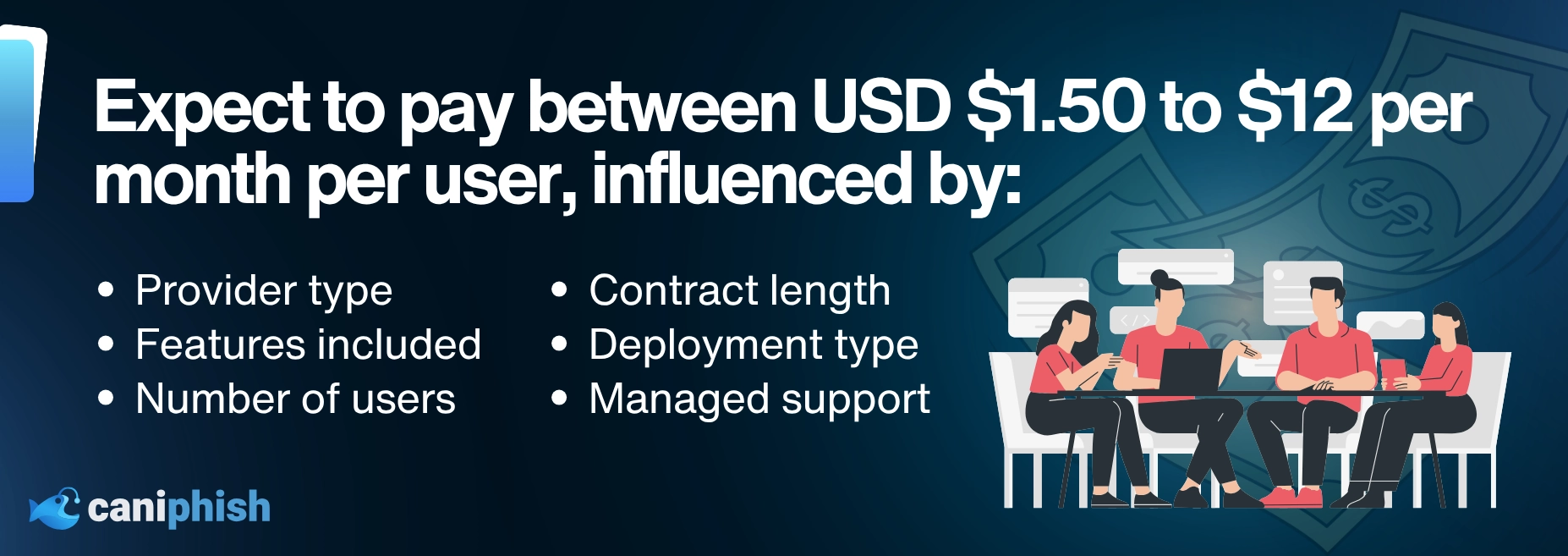
In 2026, email defense can cost anywhere from USD$1.50 to USD$12 per user per month.
That is quite a range. Unfortunately, email security pricing is rarely as simple as choosing a plan, entering a card number, and getting on with your day.
Where your organization lands within that range depends on:
- The type of email defense provider
- The number of users or mailboxes being protected
- Whether you pay monthly, annually, or across several years
- The features included in the package
- Whether deployment, support, and ongoing management cost extra
A basic native security setup may add little or nothing to an existing Microsoft or Google subscription. At the other end, a managed or legacy email security package may include advanced threat protection, data loss prevention, encryption, archiving, continuity, and hands-on support.
Those extras can be useful, but they can also turn a straightforward email security purchase into a bundle large enough to need its own luggage.
The Types Of Email Defense Vendors
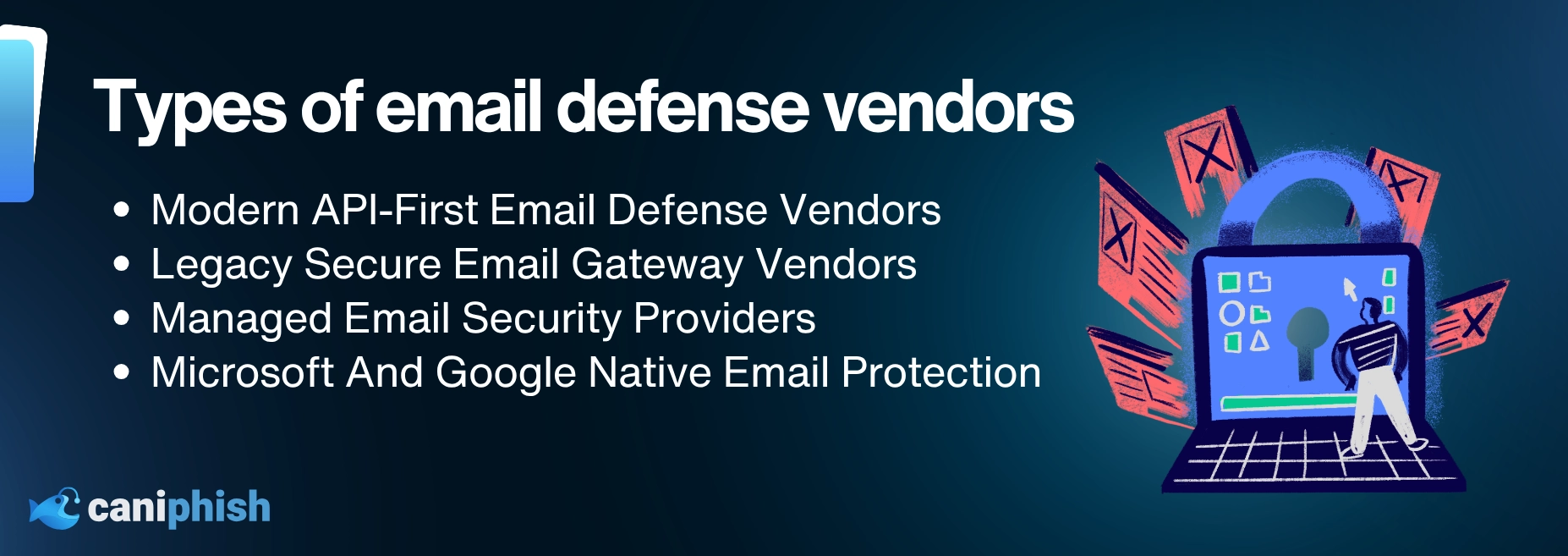
There are four main types of email defense vendors.
They all promise to protect your inbox, but how they go about it can be very different. That difference affects the price, deployment time, and how much ongoing work your IT team has to manage.
Option 1. Modern (API-first / ICES)
| Pricing | USD$1.50–$6/User/Month |
|---|---|
| Minimum Commitment | Monthly Or Annual |
| Complexity | Low |
Modern email defense platforms connect to Microsoft 365 or Google Workspace via an Application Programming Interface (API). Most do not require MX record or email-routing changes, making them quicker to deploy than traditional gateways.
Once connected, they look for unusual activity, such as unexpected payment requests, changed supplier bank details, or emails sent from a compromised account.
They can help detect:
- Business email compromise (BEC)
- Sender impersonation
- Compromised accounts
- Malicious links and attachments
- Conversation hijacking
- Internal phishing
Some platforms can also find and remove malicious emails after delivery. Depending on the provider, this may happen automatically or require administrator approval.
API-first platforms usually work alongside the security already built into your email service rather than replacing it. Some vendors are newer than traditional gateway providers, so check their security credentials, support, integrations, and approach to data handling.
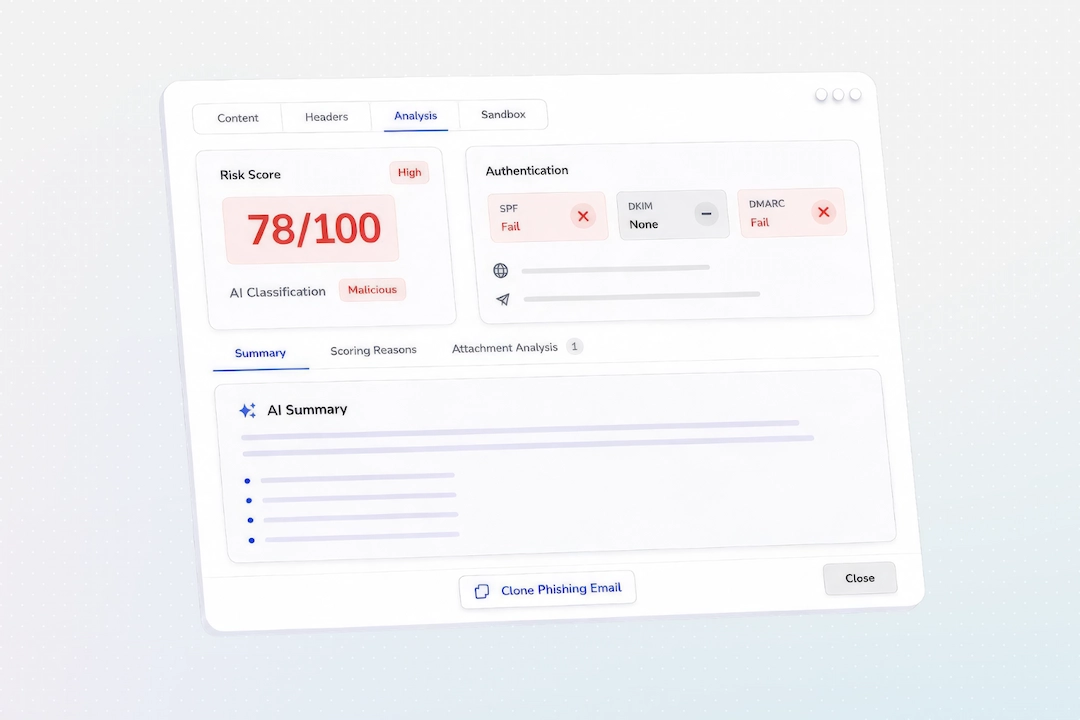
CanIPhish adds an email threat analysis layer to Microsoft 365 and Google Workspace. Employees can report suspicious messages through the Report Email Add-In, giving administrators more information about the sender, links, attachments, and other warning signs. Correctly reported phishing simulations can also be recorded in campaign results.
Pricing generally ranges from USD$1.50 to USD$6 per user per month, depending on the provider and number of users.
Option 2. Legacy (Secure Email Gateway / inline SMTP)
| Pricing | USD$3–$12/User/Month |
|---|---|
| Minimum Commitment | Usually Annual, With Multi-Year Options |
| Complexity | Moderate To High |
Legacy secure email gateways have been around for a long time. For years, they were the standard way to protect business email.
Unlike API-first platforms, these tools sit directly in the email flow. Incoming and outgoing messages pass through the gateway, where they are checked before reaching the employee's inbox.
This gives the gateway a chance to block spam, phishing emails, malware, and dangerous attachments before anyone can click on them.
Many legacy vendors also bundle in extra features, such as:
- Email archiving
- Email continuity
- Data loss prevention
- Encryption
- Attachment sandboxing
- Outbound email controls
- Compliance and eDiscovery tools
This can make sense for larger organizations that need several email security and compliance tools in one package.
The downside is that setup can be more involved. You may need to change MX records, configure mail flow, test policies, and spend time tuning the platform. In other words, it is not always a quick switch-on-and-forget-about-it job.
Pricing can also be difficult to find. Many providers require you to book a demonstration and speak with sales before they reveal what anything costs.
Expect to pay between USD$3 and USD$12 per user per month, usually with an annual or multi-year agreement.
Option 3. Managed (MSP/MSSP)
| Pricing | USD$4–$12/User/Month |
|---|---|
| Minimum Commitment | Monthly Or Annual |
| Complexity | Low For The Customer |
Managed email security is usually offered by a managed service provider or managed security service provider.
Rather than buying and running the platform yourself, you pay the provider to manage it for you. This can include setup, policy changes, alert monitoring, threat investigation, reporting, and support.
It is a useful option for businesses without an internal security team, or those that simply do not have time to manage another platform.
Email security may also be bundled with other services, such as:
- Microsoft 365 management
- Endpoint protection
- Backup and recovery
- Identity security
- Security awareness training
- General IT support
Expect to pay between USD$4 and USD$12 per user per month. This usually covers the email security product and the provider's management fee.
The downside is that pricing is not always clear. You may not know how much you are paying for the actual tool and how much is going toward management and support.
You may also have less control over how the platform is configured. A lot depends on the provider looking after it. A good MSP can save your team hours of work. A bad one can make a simple policy change feel like a major infrastructure project.
Before signing up, ask what the service includes, who handles alerts, how quickly threats are investigated, and whether you will have direct access to the platform.
Option 4. Out-Of-The-Box (Microsoft/Google native)
| Pricing | USD$2–$5/User/Month Additional Cost |
|---|---|
| Minimum Commitment | Monthly Or Annual |
| Complexity | Moderate |
Microsoft 365 and Google Workspace already include protection against spam, malware, phishing, suspicious attachments, and impersonation. Depending on your subscription, there may be no additional cost.
Microsoft users can add Defender for Office 365. Plan 1 costs USD$2 per user per month, while Plan 2 costs USD$5, with both requiring an annual commitment.
Plan 2 is included with Microsoft 365 E5 and Office 365 E5. Microsoft also began adding Plan 1 to Microsoft 365 E3 and Office 365 E3 on July 1, 2026, with the rollout expected to finish by fall 2026.
The main advantage is convenience. There is no additional vendor to onboard, but the protection still needs to be configured and monitored properly.
Depending on the license and setup, native tools may offer less specialized behavioral analysis than a dedicated platform. Businesses concerned about advanced business email compromise, compromised accounts, or conversation hijacking may want an additional layer of protection.
How Does The Size Of Your Business Impact Pricing?
The number of users you need to protect can make a big difference to the final price.
Most email defense vendors charge per user or protected mailbox. However, the price per user usually drops as the number of licenses increases.
A business protecting 50 users may pay close to the vendor's standard rate. A company protecting 2,000 users has much more room to negotiate.
This is because every new customer comes with setup, support, and account management costs. Those costs are easier for the vendor to absorb when they are spread across a larger number of licenses.
Each provider handles volume pricing differently, but it usually follows a pattern like this:
| Number Of Users | Typical Pricing Approach |
|---|---|
| 1–99 Users | Standard pricing or a minimum monthly charge |
| 100–499 Users | Small volume discount |
| 500–999 Users | Larger volume discount and custom pricing |
| 1,000+ Users | Negotiated enterprise pricing |
Larger organizations may also receive discounts on onboarding, support, or additional features. However, those savings may come with an annual or multi-year commitment attached.
Smaller businesses should look out for minimum license requirements. A provider might advertise a reasonable per-user price but still require you to purchase 100 licenses, even if you only have 60 employees.
That means the cheapest-looking price is not always the cheapest quote.
Before comparing providers, calculate the cost using the number of licenses you will actually be required to buy. Otherwise, you may end up paying to protect employees who do not exist.
How Does The Commitment You Make Impact Pricing?
Contract length is another factor that can change what you pay.
Email defense vendors prefer predictable revenue, so they will often offer a lower monthly rate if you agree to stay for longer. That sounds fair enough, provided you still like the product six months later.
Here is what you can generally expect:
1. Monthly Subscription
Monthly subscriptions give you the most flexibility.
You can increase or reduce licenses more easily, and you are not tied to the same provider for several years. The downside is that you will normally pay the highest per-user rate.
Monthly plans are more common among modern API-first vendors. They can be harder to find with legacy gateway providers.
2. Annual Subscription
Annual agreements are the most common option across the email security market.
Where monthly and annual options are both available, the annual plan will often have a lower effective monthly price. The savings vary by provider, and some may include onboarding or support in the agreement.
The catch is that your license count may be fixed for the year. Adding users is usually easy. Removing them and lowering the bill can be another story.
3. Multi-Year Subscription
A two- or three-year agreement may reduce the price further, particularly for larger license volumes. Any additional discount will depend on the provider and what you can negotiate.
Before committing, check whether the contract allows you to change license numbers, remove unwanted features, or exit if the service does not perform as expected.
Pricing Example 1: Protect 1,500 Users With A Modern API-First Vendor
In this example, the business chooses a modern email defense platform and signs an annual agreement.
| Modern API-First Vendor Pricing | Cost |
|---|---|
| Number Of Users | 1,500 |
| Standard Price | USD$4 Per User/Month |
| Assumed Volume Discount | 25% |
| Assumed Annual Discount | 15% |
| Final Price After Discounts | USD$2.55 Per User/Month |
| Total Annual Cost | USD$45,900 |
Calculation: USD$2.55 × 1,500 users × 12 months = USD$45,900 per year.
This brings the effective price down from USD$4 to USD$2.55 per user per month.
Pricing Example 2: Protect 250 Users With A Managed Provider
In this example, the business chooses a managed email security provider and signs a 12-month agreement.
| Managed Email Security Pricing | Cost |
|---|---|
| Number Of Users | 250 |
| Monthly Price | USD$8 Per User |
| Contract Length | 12 Months |
| Total Annual Cost | USD$24,000 |
Calculation: USD$8 × 250 users × 12 months = USD$24,000 per year.
The managed option costs more per user, but the price includes ongoing administration and support. That may still offer good value if it saves the business from hiring additional staff or asking the one IT person to somehow do everything. Again.
What To Look For When Choosing An Email Defense Provider
Price matters, but it should not be the only thing you compare.
A cheap platform is not much of a bargain if it misses threats, takes months to deploy, or needs someone watching it every hour of the day.
Before choosing a provider, consider the following:
- Deployment: Check how the platform connects to your email environment, how long deployment takes, and whether MX record or mail-routing changes are required.
- Threat Detection: Confirm that the platform can detect the threats relevant to your business, including BEC, impersonation, compromised accounts, malicious content, and conversation hijacking.
- Post-Delivery Response: Find out whether malicious messages can be investigated and removed after delivery, either automatically or with administrator approval.
- Find Out What You Are Actually Paying For: Ask for the complete cost, including onboarding, support, storage, additional modules, professional services, and minimum license requirements.
- Make Sure The Reports Are Useful: Look for clear, exportable reports that explain detected threats, affected users, remediation actions, recurring patterns, and the next steps to take.
- Consider The Workload: Consider how much time your team will spend configuring policies, reviewing alerts, investigating threats, and maintaining the platform.
- Check The Contract Terms: Review the minimum commitment, automatic renewal terms, license-change rules, notice periods, and cancellation policy before signing.
- Evaluate The Platform Before Buying: Use a trial or proof of concept to test deployment, detection quality, false positives, reporting, remediation, and support in your own environment.
Conclusion
There is no single email defense option that will suit every business.
Legacy gateways can be a good fit for organizations that need email security, archiving, continuity, and compliance features bundled together. Managed providers make sense for businesses that want someone else to handle the day-to-day work. Microsoft and Google's built-in protection may also be enough for businesses with simpler needs.
For many organizations, modern API-first email defense offers the best value with the least deployment friction.
It is quicker to set up, does not require changes to your MX records, and can work alongside the protection already provided by Microsoft 365 or Google Workspace. Some API-first platforms can also find and remove malicious emails after delivery, although the remediation features available will depend on the provider.
CanIPhish takes a different approach by bringing email threat analysis, employee reporting, and security awareness data together.
When an employee reports a suspicious email through the Report Email Add-In, it can be investigated within the platform. Reporting activity can then be considered alongside phishing simulation results, security awareness training, and other employee risk signals.
This gives businesses and their MSPs a clearer picture of both sides of the problem: the threats targeting employees and how employees respond to them.
Because stopping phishing is not only about filtering the inbox. It is also about what happens when a convincing email gets through.
Want To Add Another Layer To Your Email Security?
See how CanIPhish brings threat investigation, employee reporting, and security awareness data together in one platform.
Explore Email Threat AnalysisFrequently Asked Questions
How Do I Justify Paying For Email Defense?
Start by looking at what a successful email attack could cost the business.
That might include stolen payments, account recovery, incident response, legal advice, lost productivity, or damage to customer trust. Then compare that potential cost with the yearly price of protecting your users.
Email defense does not need to stop every threat to provide value. Preventing one successful business email compromise or credential theft incident may be enough to cover the cost of the platform.
How Much Does Email Defense Cost?
Email defense can cost anywhere from USD$1.50 to USD$12 per user per month.
The final price depends on the type of provider, number of users, contract length, and features included. Setup, support, archiving, and managed services may also cost extra.
What Is The Difference Between An API-First Platform And A Secure Email Gateway?
A secure email gateway sits directly in the email flow and checks messages before they reach the inbox. Deploying one will usually require changes to your MX records.
An API-first platform connects to Microsoft 365 or Google Workspace without rerouting your email. It works alongside the native filters and can look for suspicious messages that have already made it through.
Is Microsoft 365 Email Protection Enough?
For some businesses, yes. It depends on the Microsoft license, how well the security controls are configured, and the types of threats the business faces.
Organizations worried about advanced business email compromise or compromised accounts may decide to add another layer of protection. Having Microsoft security features is a good start. Leaving half of them untouched in the admin portal is less useful.
Does Email Defense Require An MX Record Change?
Not always.
Traditional secure email gateways usually require an MX record change because emails need to pass through the gateway first. Modern API-first platforms generally connect directly to Microsoft 365 or Google Workspace, so MX records do not need to be changed.
Are Longer Email Security Contracts Cheaper?
Sometimes. Vendors may offer a lower per-user price if you sign up for a year or longer.
Just check the renewal terms, license limits, and cancellation policy first. A discount is not much of a win if you spend the next three years trying to escape it.
What Hidden Email Defense Costs Should I Look For?
Look out for charges related to:
- Setup and onboarding
- Technical support
- Data storage
- Email archiving
- Integrations
- Incident response
- Additional security modules
- Professional services
- Minimum license requirements
Ask for the full cost in writing before agreeing to anything. It is much easier than trying to solve the mystery after the invoice arrives.
An Operations Analyst on a mission to make the internet safer by helping people stay a step ahead of cyber threats.