Device Code Phishing Explained

Have you ever been asked to sign in again and thought, “I’m sure I already did this five minutes ago”?
Most of us don’t stop to launch a full investigation. We sigh, follow the instructions, and try to get back to whatever we were doing before another login screen decided it needed our attention.
That routine reaction is exactly what device code phishing exploits.
In this blog, we’ll explain what device code phishing is, how the attack works, why it can be so difficult to spot, and what employees and organizations can do to stop it.
Let’s dive in.
What Is Device Code Phishing?
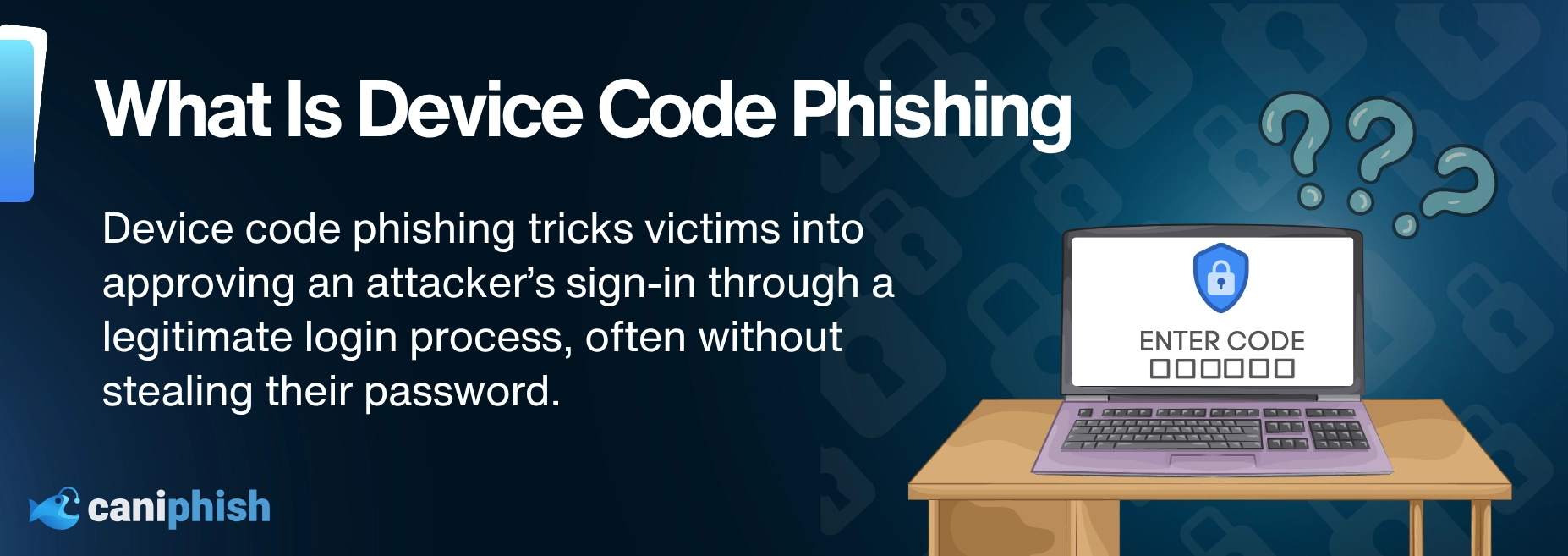
Device code phishing is an identity attack that abuses the legitimate device sign-in process. Instead of stealing your password, the attacker tricks you into approving a sign-in you never started.
It takes advantage of an OAuth sign-in method supported by several identity providers. Many recent campaigns have targeted Microsoft 365, which is why Microsoft often appears in real-world examples.
Instead of stealing a password through a fake login page, the attacker tricks the victim into approving a sign-in they did not start. The sign-in page may be real, the code may be valid, and MFA may work exactly as expected.
That is what makes the attack so deceptive. Everything can look legitimate, while the person receiving access is anything but.
What Is A Device Code?
A device code is a short, temporary code used to sign into a device that cannot easily handle a normal login. This might be a shared meeting-room screen, digital display, printer, or another device without a proper browser or keyboard.
You may have used a similar process when signing into Netflix on a smart TV at a hotel or Airbnb. Instead of painfully entering your email address and password with the remote, you scan a QR code or continue through a browser on your phone. Once you approve the sign-in, your account is connected to the TV.
Device code flow follows the same basic idea. A code appears on the device, and you enter it through the service’s real sign-in page on your phone or computer. Once you have signed in and completed any extra checks, the device is connected to your account.
It is a convenient way to sign into devices that would otherwise have you fighting with an on-screen keyboard. One wrong character and suddenly everyone in the room is watching you lose an argument with the alphabet.
That is how device code flow should work. You start the sign-in, the code appears on the device in front of you, and you know exactly what you are connecting to your account.
If a code arrives out of nowhere and someone asks you to enter it, the process has been flipped. You could be approving the attacker's device instead of your own.
How Does Device Code Phishing Work?
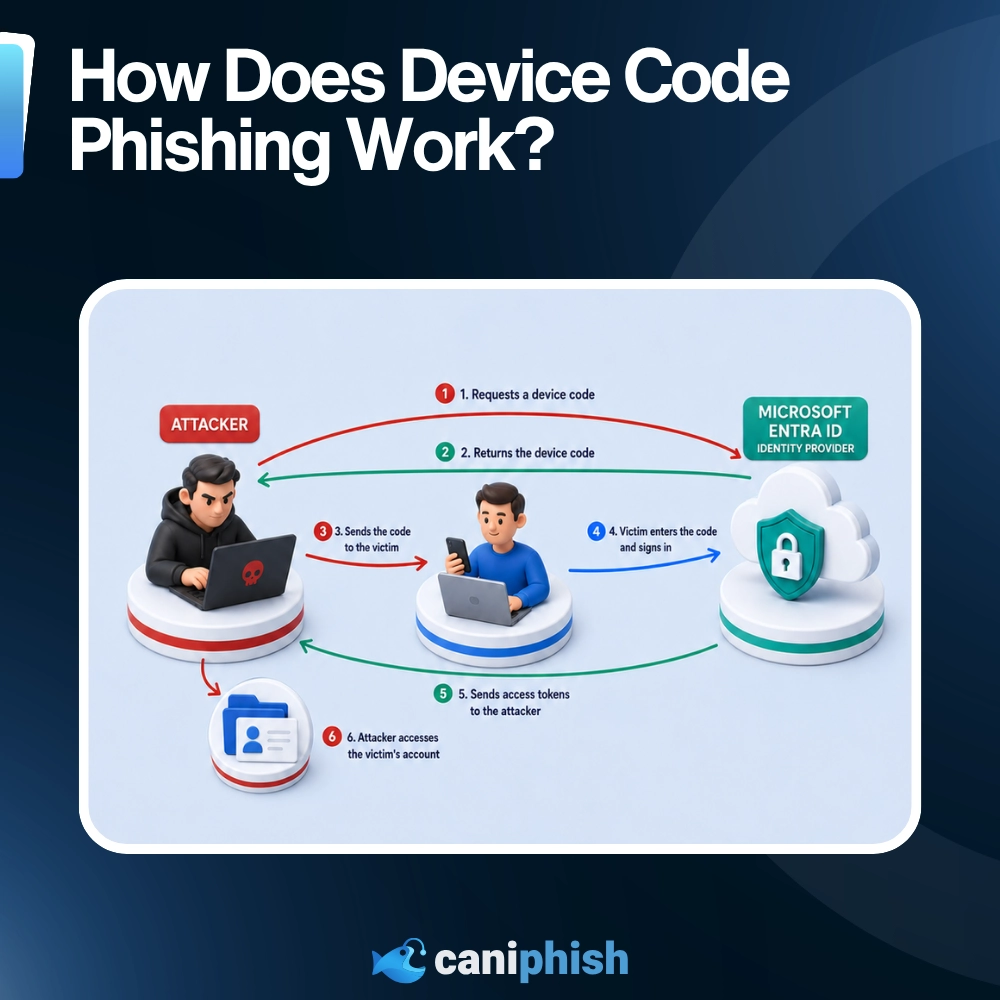
This is where the legitimate sign-in process takes a nasty little turn.
The steps look almost identical to a normal device code login. The difference is that the device waiting to be approved belongs to the attacker.
Here is how it works:
1. The Attacker Starts The Sign-In
The attacker starts a device code login through an application or service that supports the flow.
As far as the identity provider is concerned, a device or application is asking for permission to access an account.
2. The Identity Provider Generates A Code
The identity provider creates a temporary code and connects it to the sign-in session started by the attacker.
The attacker keeps that session open.
3. The Attacker Sends The Code To The Victim
The attacker sends the victim a phishing email, chat message, QR code, or fake document notification containing the code.
They might claim the code is needed to join a meeting, open a shared file, confirm an account, or view an invoice. Just another tiny task to squeeze into a day already full of tiny tasks.
4. The Victim Enters The Code And Signs In
The victim follows the instructions and enters the code through the identity provider’s real device sign-in page.
They may also be asked to sign in and complete MFA. Because the page is legitimate and everything appears to work normally, there may be no fake website to give the attack away.
5. The Attacker Gets Access
Once the victim completes authentication, the identity provider connects that approval to the session that originally requested the code.
That session belongs to the attacker.
The provider can then issue access tokens and, in some cases, refresh tokens to the attacker-controlled device. The attacker uses those tokens to access whatever information or services the victim’s account is allowed to reach.
They may never need to see the victim’s password. The victim completed the authentication for them.
Why Device Code Phishing Is So Convincing
Device code phishing is convincing because almost everything the victim sees looks right.
The sign-in page may be real. The web address is correct. The branding looks exactly as it should because, well, it actually belongs to the provider.
That takes away one of the most familiar phishing warning signs. Employees are often told to check the URL before entering anything. But if the link leads to a legitimate device login page, the usual URL check may pass without raising an alarm.
MFA can make the request feel even safer.
The victim may enter their password and approve MFA through the legitimate sign-in page as normal. That does not necessarily mean the attacker has bypassed MFA. It means the victim has successfully completed it for a session they did not start.
Then there is the familiarity of the process.
Most employees are used to applications asking them to sign in, confirm something, approve a request, or prove they are still the same person they were ten minutes ago. Another login prompt is more likely to cause mild irritation than immediate suspicion.
A short code does not feel as risky as handing over a password. It looks temporary, like one of those annoying checks you complete so you can get on with your day.
If the message says it is needed to open a file or join a meeting, it can easily pass as another bit of everyday admin.
That is what makes device code phishing so effective. The attacker is not asking the victim to ignore obvious warning signs. They are asking them to follow a legitimate process at the wrong time, for the wrong device, and for the wrong person.
How Device Code Phishing Has Changed In 2026
Device code phishing is not new, but the 2026 version is faster, more automated, and much easier to run at scale.
Device codes, like anything, have a time limit on how long you have to use them before it expires. In several Microsoft 365 campaigns reported in 2026, victims had just 15 minutes to enter the code. Miss that window and the attacker had to generate another one.
Modern campaigns have fixed that problem by generating a fresh code when the victim clicks the phishing link. The 15-minute countdown only starts once the victim reaches the page, giving the attacker a much better chance of success.
Attackers are also using AI to create lures based on the victim’s job, including invoices, shared files, RFPs, and other requests that fit naturally into their workday. Automation can then generate the code, watch for a successful sign-in, and begin checking what the compromised account can access.
Phishing-as-a-service tools such as EvilTokens have made the attack even easier to launch. Criminals can now pay for ready-made landing pages, infrastructure, and account management tools rather than building everything themselves. Because apparently, cybercrime also needed another subscription service.
What was once a fairly narrow, time-sensitive attack is now becoming a repeatable way to target large numbers of accounts. Microsoft and Proofpoint both reported this shift during 2026.
Where Do These Attacks Appear?
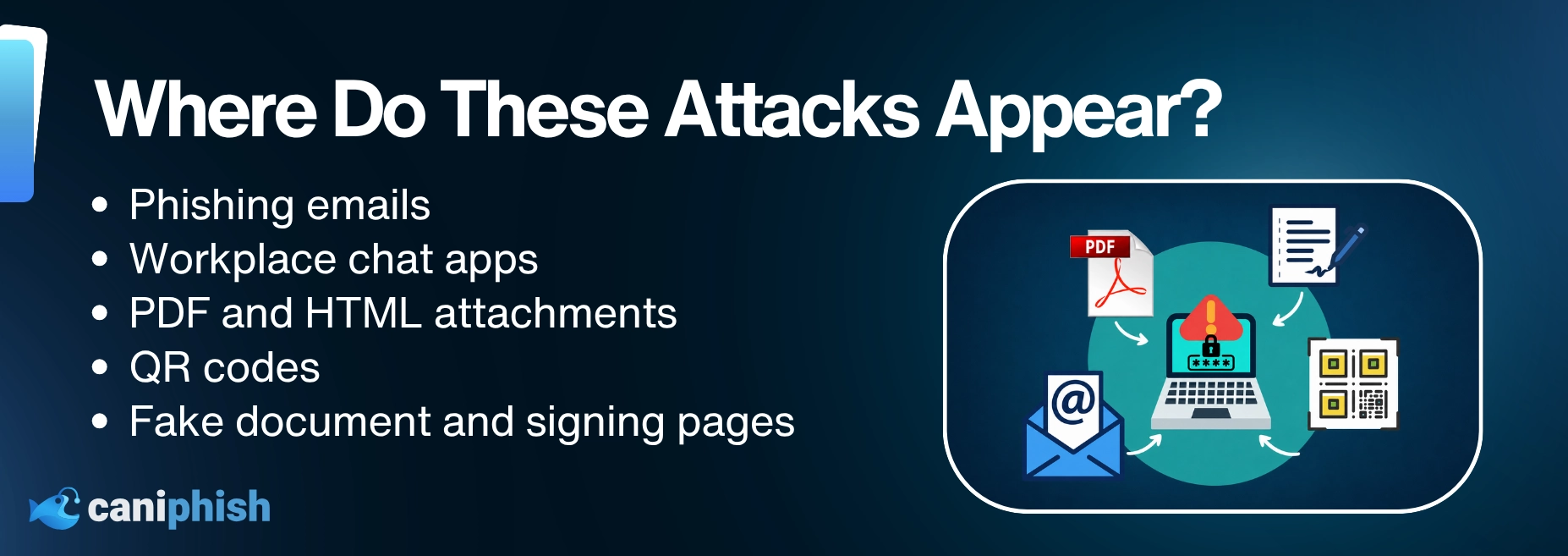
Device code phishing can appear anywhere an attacker can deliver a link, code, or convincing set of instructions.
Common delivery methods include:
- Phishing emails: These may look like invoices, shared files, voicemail alerts, password warnings, or meeting invitations.
- Workplace chat apps: Attackers can send codes through Microsoft Teams or other messaging platforms, sometimes using an account they have already compromised.
- PDF and HTML attachments: The attachment may contain a button, link, device code, or instructions telling the victim how to continue.
- QR codes: Scanning the code can send the victim to a phishing page that generates a fresh device code.
- Fake document and signing pages: Attackers commonly impersonate services such as Microsoft, SharePoint, Adobe, and DocuSign.
Some attacks are sent from a real account that has already been taken over. That makes the message more convincing because it appears to come from someone the victim knows.
If there is a workplace notification people regularly click just to make it disappear, an attacker will probably find a way to use it.
The lure may change, but the request stays the same: enter a device code for a sign-in you did not start.
What Can Attackers Access?
The level of access depends on the victim’s permissions, the application involved, and the tokens issued during the sign-in.
Depending on the account, attackers may be able to access:
- Email and cloud mailboxes
- Cloud storage and shared files
- Calendars and contacts
- Workplace chat and collaboration tools
- Company directories and internal information
- Other applications the victim is permitted to use
A compromised inbox can be particularly useful. It shows who the victim speaks to, which invoices are being discussed, what projects are underway, and where password reset emails arrive. It is basically an attacker’s research folder, kindly organized by the business.
Attackers may also create inbox rules to hide replies, impersonate the victim, send more phishing messages, or use the account to target colleagues and customers.
If the victim works in finance, IT, HR, or holds administrative access, the damage can spread much further. The attacker could use that trusted account for payment fraud, data theft, or attempts to move deeper into the organization.
The tokens do not automatically unlock everything. But they can give the attacker enough legitimate access to cause a very unpleasant day.
Warning Signs Of Device Code Phishing
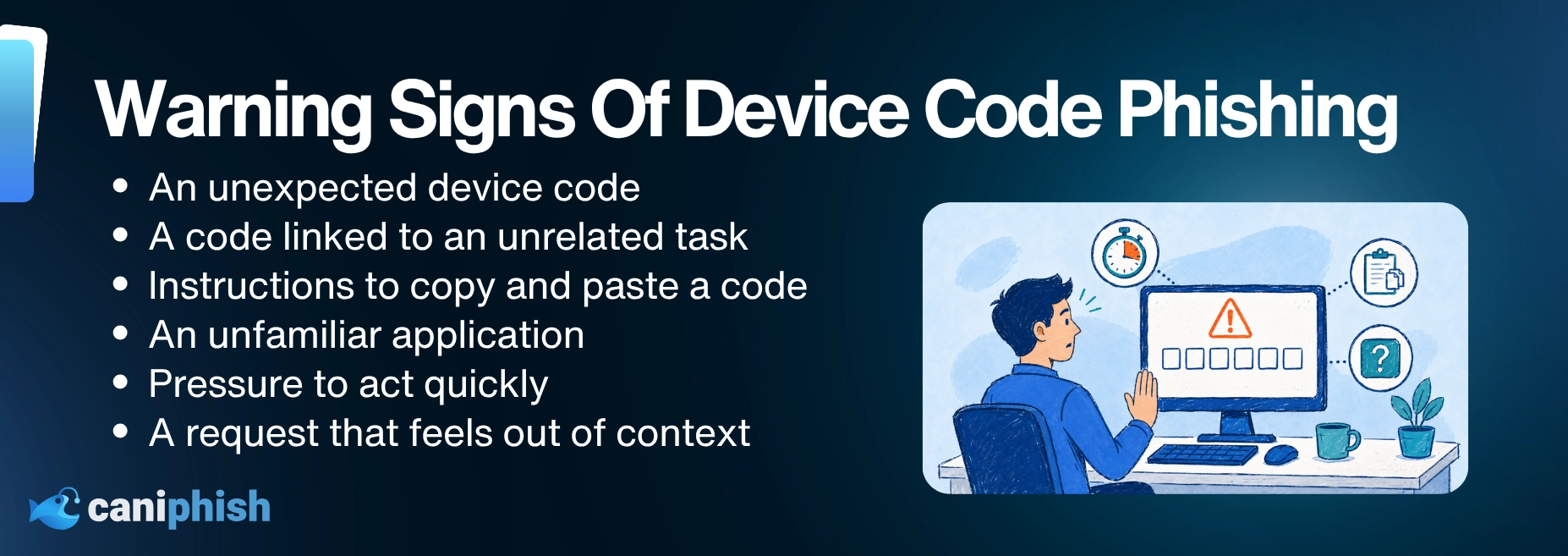
The warning signs of device code phishing can vary, but there are some telltale signs to look out for. Let’s break them down.
- An unexpected code: A device code appears even though you are not signing into or setting up a device.
- Instructions sent through a message: An email, chat, attachment, or QR code tells you to copy a code into a device login page.
- An unfamiliar application: The approval page names an application you do not recognize or asks for access that does not match what you were doing.
- Pressure to hurry: The message warns that the code will expire or you will lose access if you do not act immediately.
A legitimate code should appear because you started the process on a device in front of you. If the code comes looking for you, stop and check.
It is the digital equivalent of someone standing at your front door insisting you invited them in. Maybe check before opening it.
How Can Organizations Prevent Device Code Phishing?
Organizations can reduce the risk by controlling when and where device code flow can be used.
Block It Where It Is Not Needed
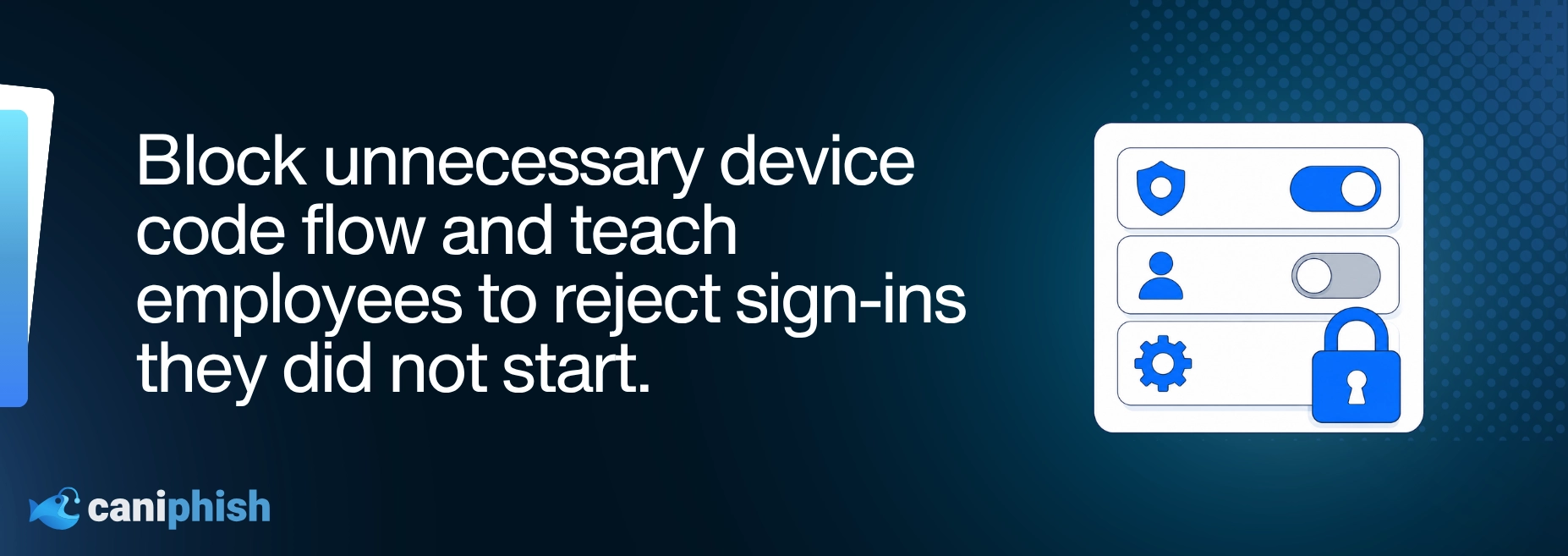
If your organization does not use device code flow, disable or block it through your identity provider. The exact setting will depend on the platform.
For example, organizations using Microsoft Entra ID can restrict device code flow through Conditional Access.
If certain devices or applications still need it, only allow it for those approved uses. Leaving it open across the organization gives attackers another way in.
Check What Still Uses It
Before blocking device code flow, check which accounts, applications, and devices still rely on it.
Look through your identity provider’s sign-in and authentication logs. You may find a meeting-room system, shared display, command-line tool, or old admin utility that everyone forgot about.
If the platform offers an audit or report-only mode, use it first. This shows what the policy would affect before anything stops working.
That is far better than discovering the problem when twelve people are sitting in a meeting room waiting for the screen to cooperate.
Keep Exceptions Small
If a device or tool genuinely needs device code flow, only exclude what is necessary.
Make a note of why the exception exists and set a date to check it again. Otherwise, “temporary” has a funny way of becoming permanent.
Review Other Sign-In Controls
Where possible, restrict sensitive account access to approved or managed devices.
Keep an eye on sign-in and authentication logs too. An unfamiliar application, unusual location, new device, or unexpected device code sign-in deserves a closer look.
Stop The Lure
The final sign-in page may be real, but the message that sent the employee there may not be.
Check the original email, chat message, attachment, QR code, or link. Email and web protection may stop the scam before the employee reaches the genuine sign-in page.
Teach Employees To Stop And Check
Employees do not need to understand every part of device code flow.
They only need one rule: if you did not start the sign-in, do not enter the code.
CanIPhish can reinforce that habit through realistic phishing simulations and short security awareness training. Employees learn to pause, check the request, and report anything suspicious.
When the login page is real, spotting the attack takes more than looking for a dodgy logo.
What To Do After A Suspected Attack
If someone enters a device code and then thinks, “Hang on, that was a bit strange,” they should report it immediately.
This is not the time to close the tab and hope the internet forgets.
Send the original message, link, attachment, or QR code to the IT or security team. Include roughly when it happened and whether any sign-in or MFA request was approved. Do not delete the message, as it may help the team investigate.
The security team can then secure the account, check for suspicious activity, and deal with anything the attacker may have changed or accessed.
Nobody enjoys reporting a mistake. But it is much easier to investigate a possible attack early than clean up a larger incident later.
Wrapping Up
Device code phishing works because almost everything looks legitimate. The only problem is that someone else started the sign-in.
The rule is simple: never enter a device code sent to you by another person unless you started the sign-in yourself and were expecting it.
Organizations should also block device code flow where it is not needed and act quickly when something looks suspicious.
A device code may only contain a few characters, but in the wrong hands, it can unlock far more than expected.
Frequently Asked Questions
Is Device Code Phishing A Real Attack?
Yes. Attackers use the legitimate device code sign-in process to trick victims into authorizing access to their Microsoft accounts.
Is Device Code Phishing Only A Microsoft Problem?
No. Device code flow is an industry-standard OAuth process and is supported by more than one provider. Many documented attacks have targeted Microsoft 365 accounts, but the underlying technique is not unique to Microsoft.
Is A Legitimate Device Login Page Safe?
The page itself may be legitimate. The danger comes from entering a code generated for someone else’s device or application. A real website does not automatically make the request safe.
Can MFA Stop Device Code Phishing?
Not always. The victim may complete MFA as part of the legitimate sign-in process, unknowingly approving access for the attacker.
Does The Attacker See The Victim’s Password?
Usually not. Instead, the attacker receives authentication tokens that allow them to access the account without knowing the password.
What Should I Do If I Entered A Suspicious Device Code?
Report it to your IT or security team immediately. The account may need to be temporarily disabled, active sessions revoked, and the password reset. Waiting to see what happens is rarely a winning cybersecurity strategy.
Can Organizations Block Device Code Authentication?
Yes. Organizations can use Conditional Access policies in Microsoft Entra ID to block device code flow where it is not required. Any exceptions should be limited and regularly reviewed.
10 Tips To Create A Strong Password In 2026
Build passwords that take centuries to crack, and actually remember them.
Check out our top tips
An Operations Analyst on a mission to make the internet safer by helping people stay a step ahead of cyber threats.